The food log I wanted to use, designed and built on my own
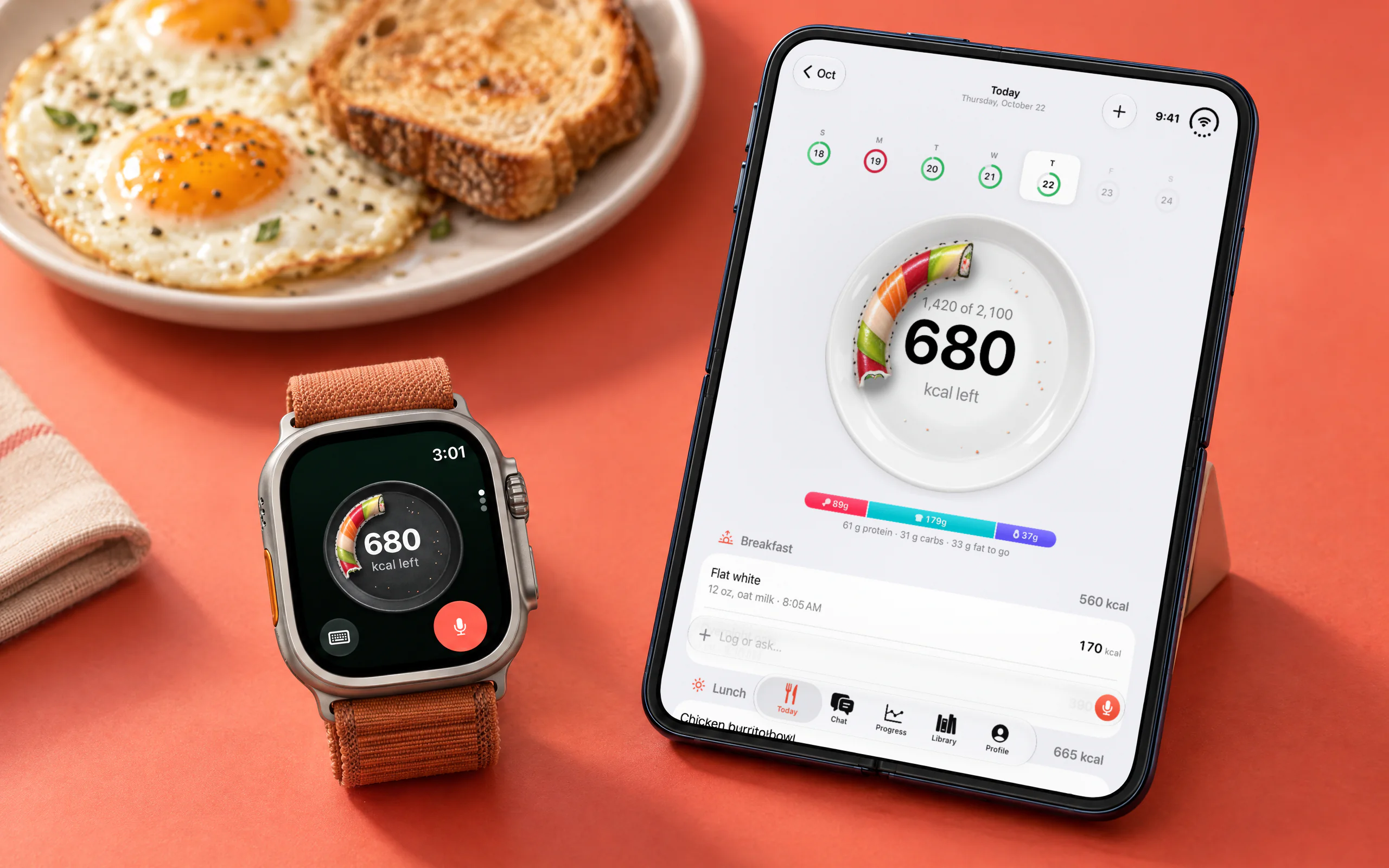
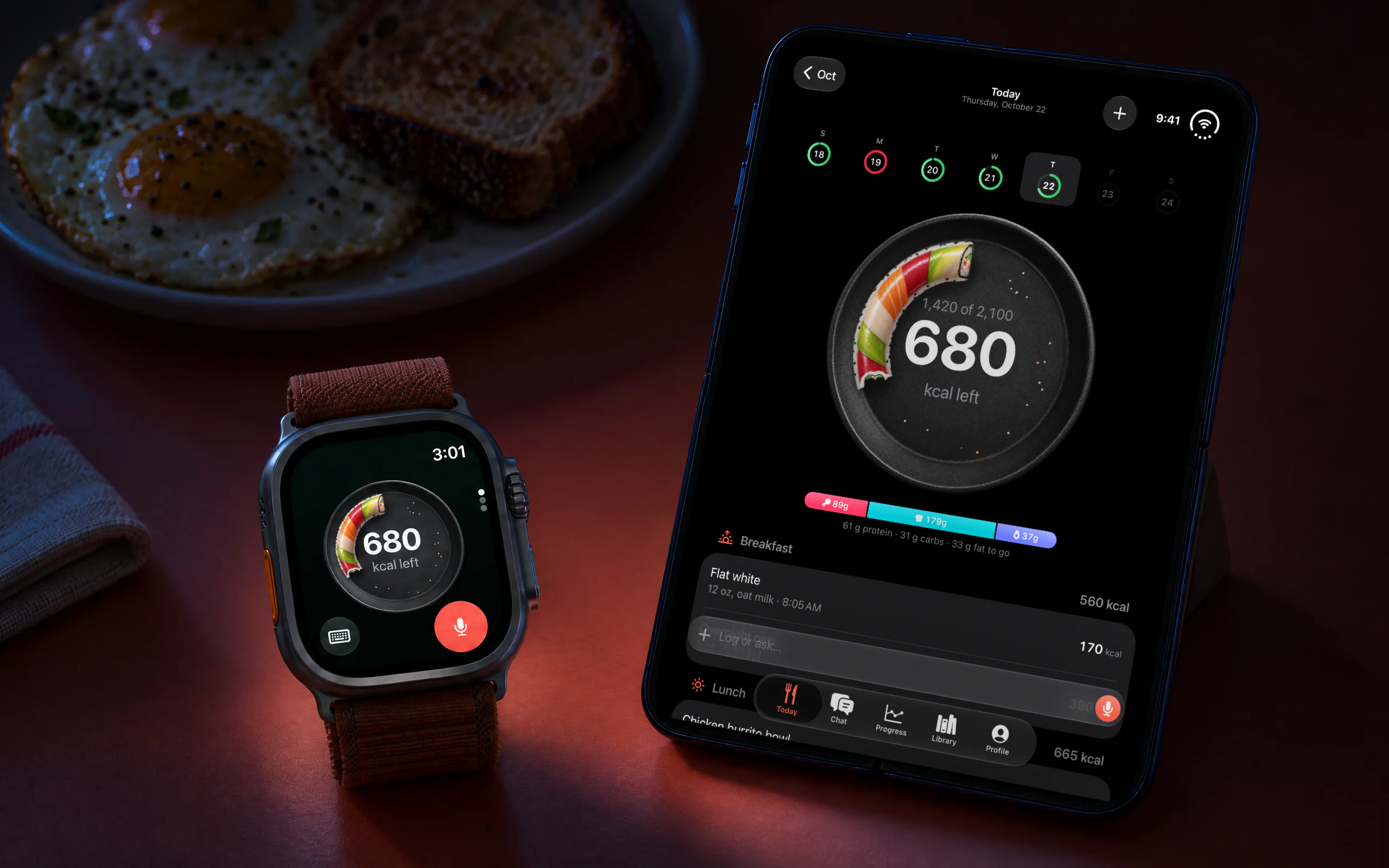
I was logging my food in ChatGPT, and it mostly worked. It just couldn’t remember my usuals, take a log from my watch or talk to Apple Health. So I built the parts it was missing, and they became YumLog, a calorie tracker you talk to. I raise my wrist, say “200 g salmon” or “my usual rice”, and it’s logged. On the iPhone I see the whole day at a glance, and when a meal is easier to show than describe, I take a photo.
It started as the app I wanted. Now it’s on the App Store for anyone who would rather say what they ate than look it up. I built it on my own in two weeks, directing Claude Code and an image model: they generated the code and the art; I decided what to build, tested it and chose what shipped.
- Product
- A calorie tracker you talk to, for Apple Watch and iPhone
- Role
- Solo: product, design, engineering
- Timeline
- October 9 to 22, 2026
- Built with
- SwiftUI, Cloudflare Workers, Claude
- Website
- yumlog.dev
- App Store
- YumLog: AI Calorie Tracker
Role
Product, design and brand, the Apple Watch and iPhone apps, the server and pricing. YumLog is a product.inc app.
Say what you ate, and it’s logged
The launch video shows eight minutes of the app in use. I wrote the talking points, used GPT to shape the script and a clone of my own voice to read it.
Fig. 01My launch video for YumLog.
Most of my logs start on the watch, and each is one sentence: tap the mic, say what you ate, and glance at the answer, which shows what it logged, what it assumed and what’s left of the day. The watch is optional, though. Everything works from the iPhone too.
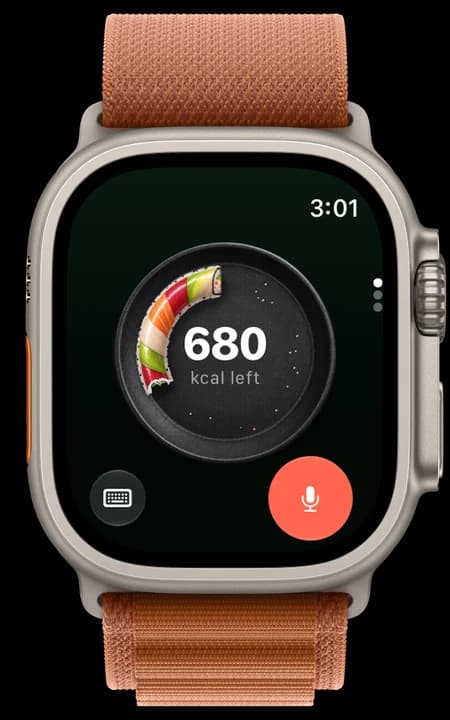
What’s left of the day
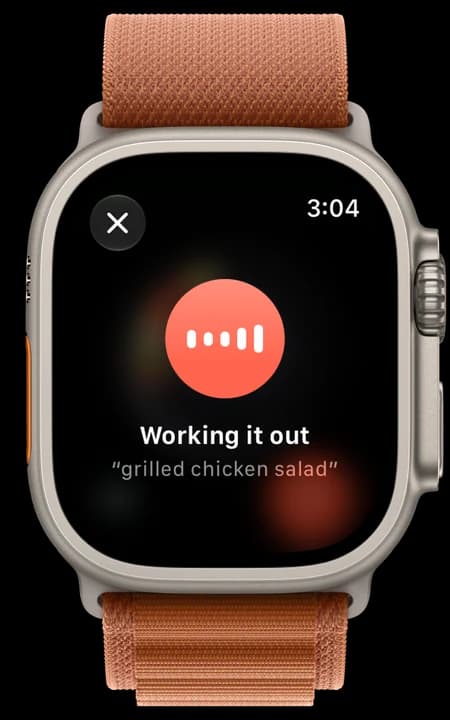
Working it out
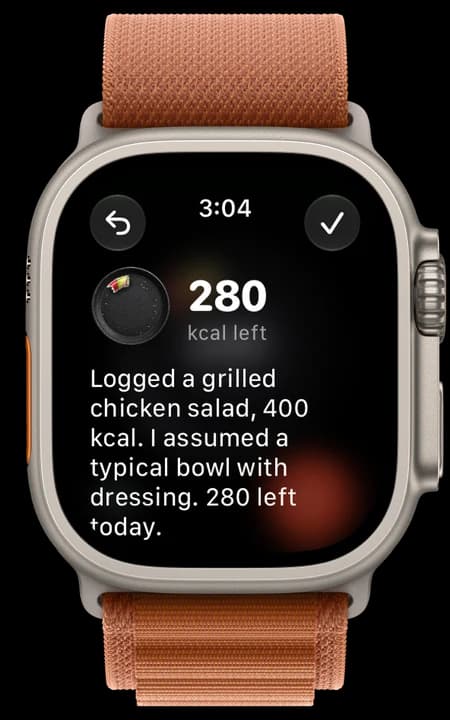
Logged, with what it assumed
A log on the watch, from the mic to the answer.
The things I eat all the time live in the Library. I drink a lot of juice mixed with water (liquid calories, I know), so it’s saved as “JD” and that’s all I say. Whatever you have on repeat, a coffee order, a breakfast, a shake, can get a name the same way. The assistant builds the Library as you log, so the things you eat most become the quickest to log.
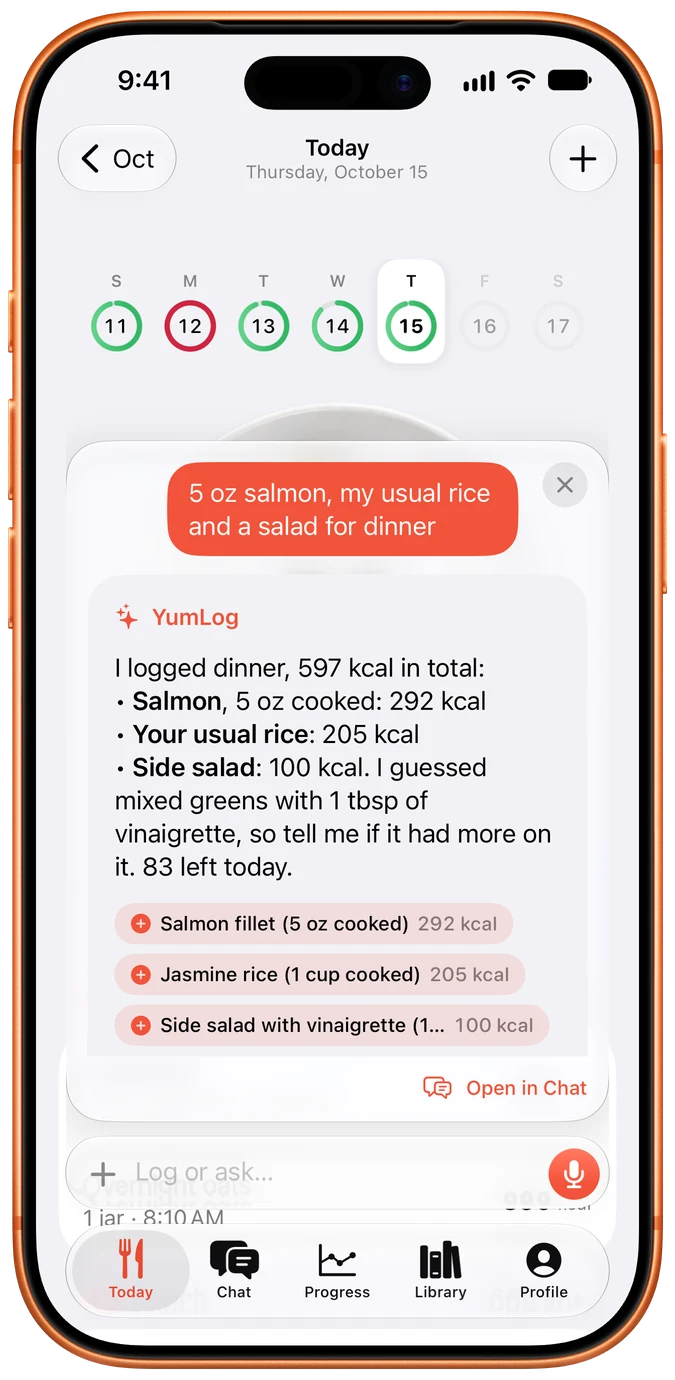
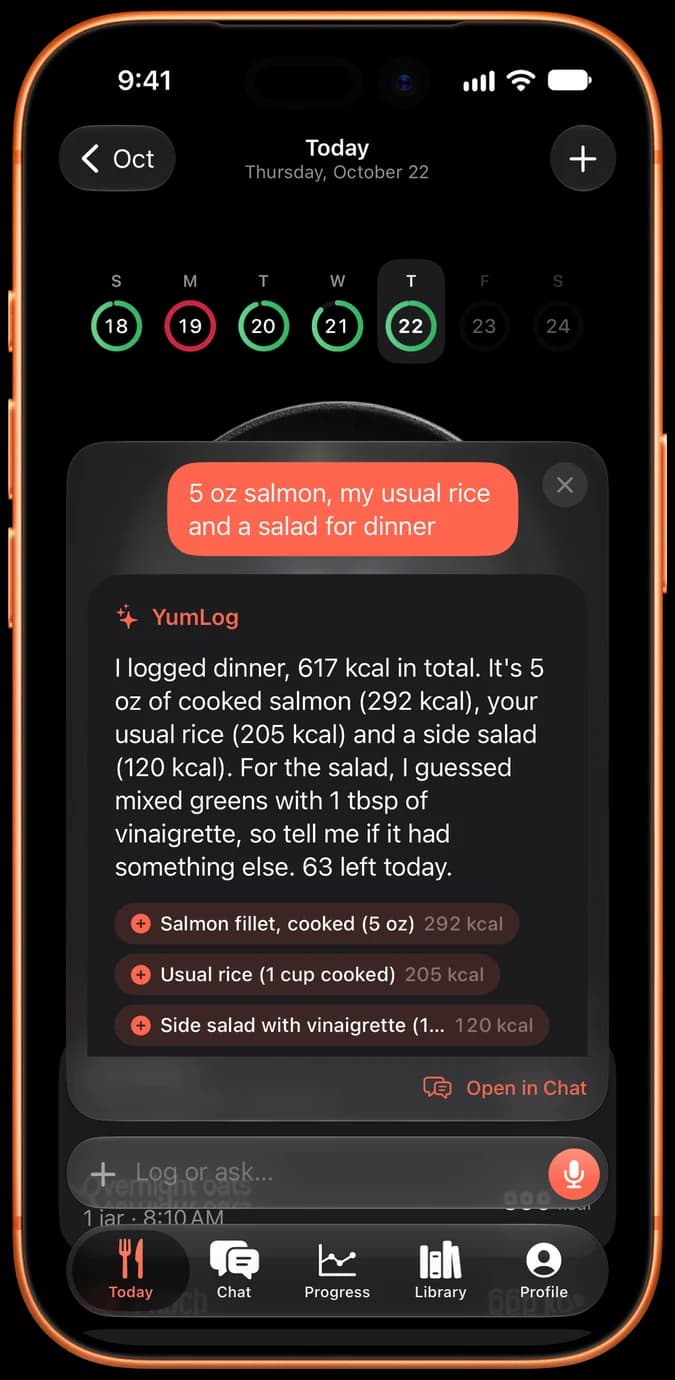
Said, then logged
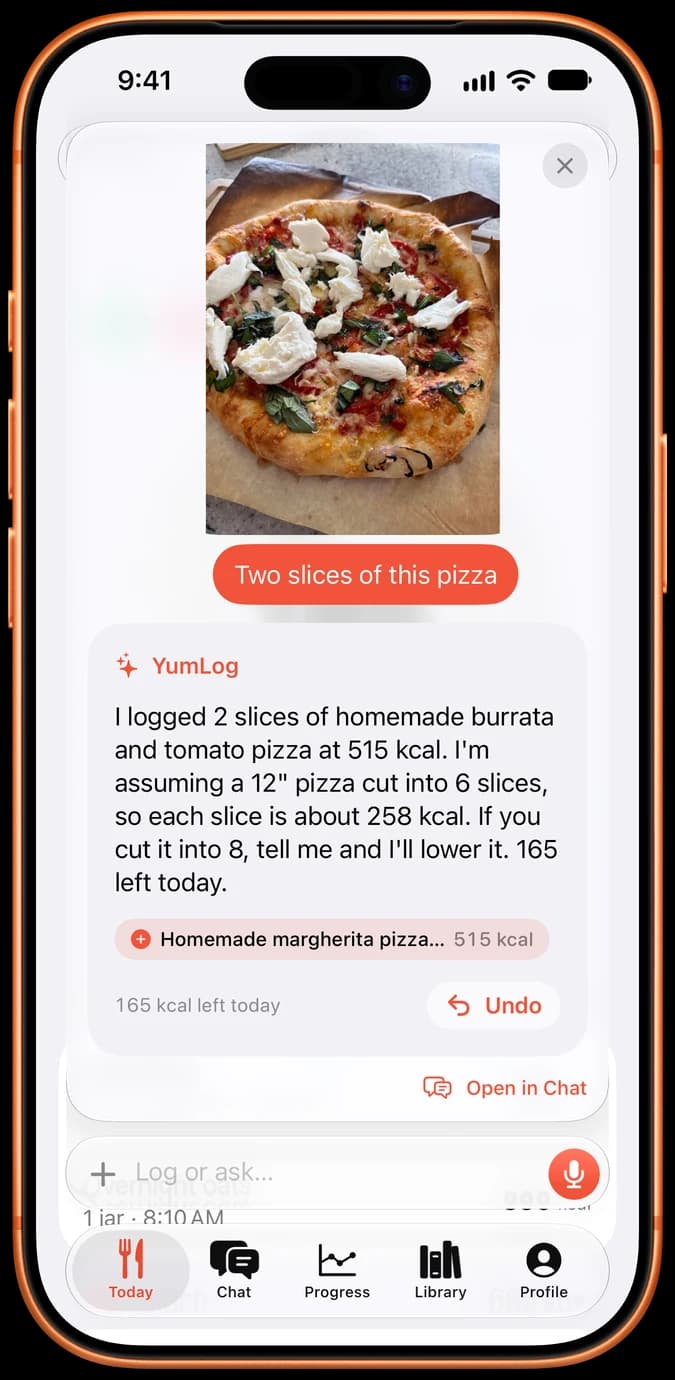
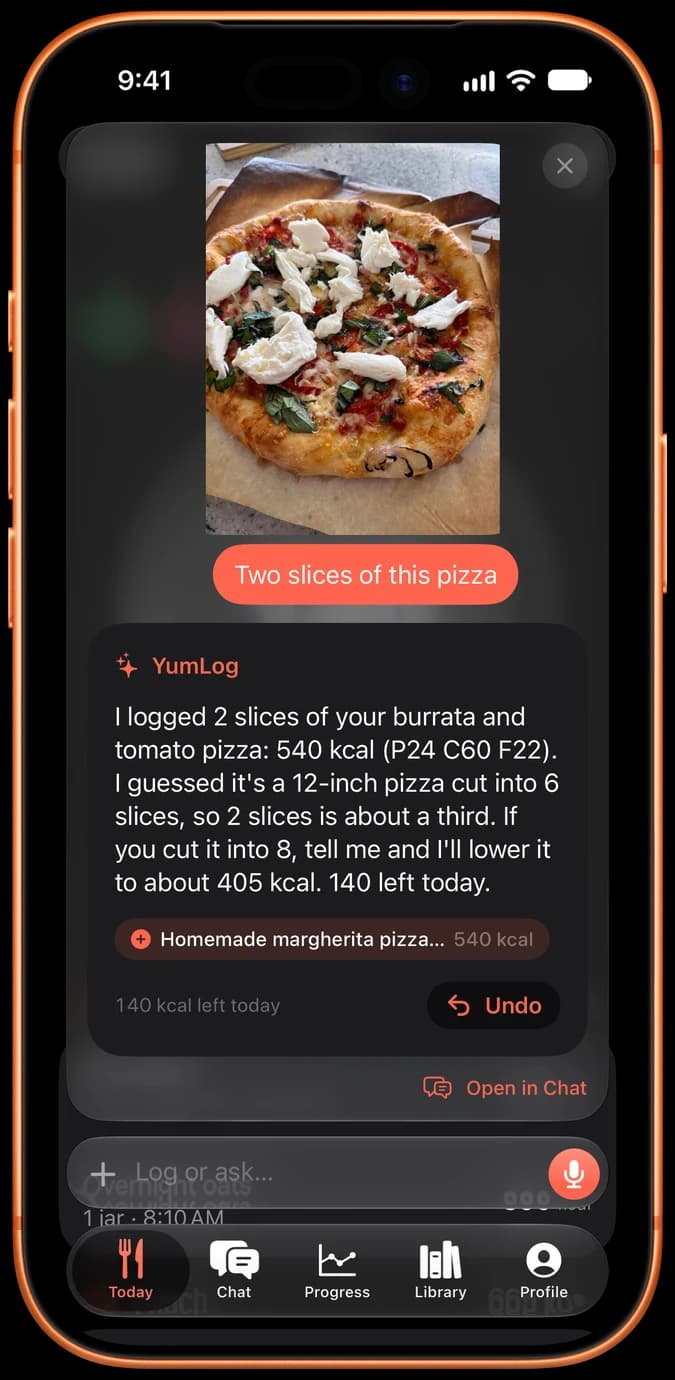
Or photographed
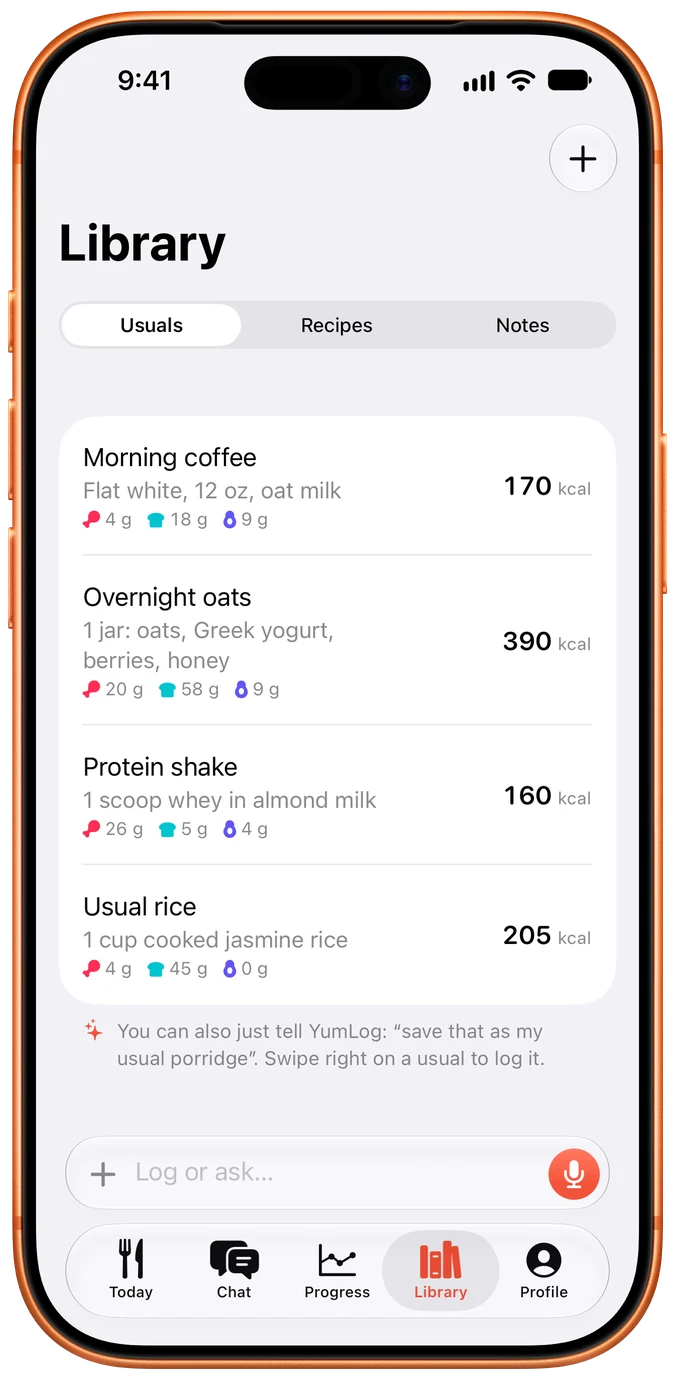
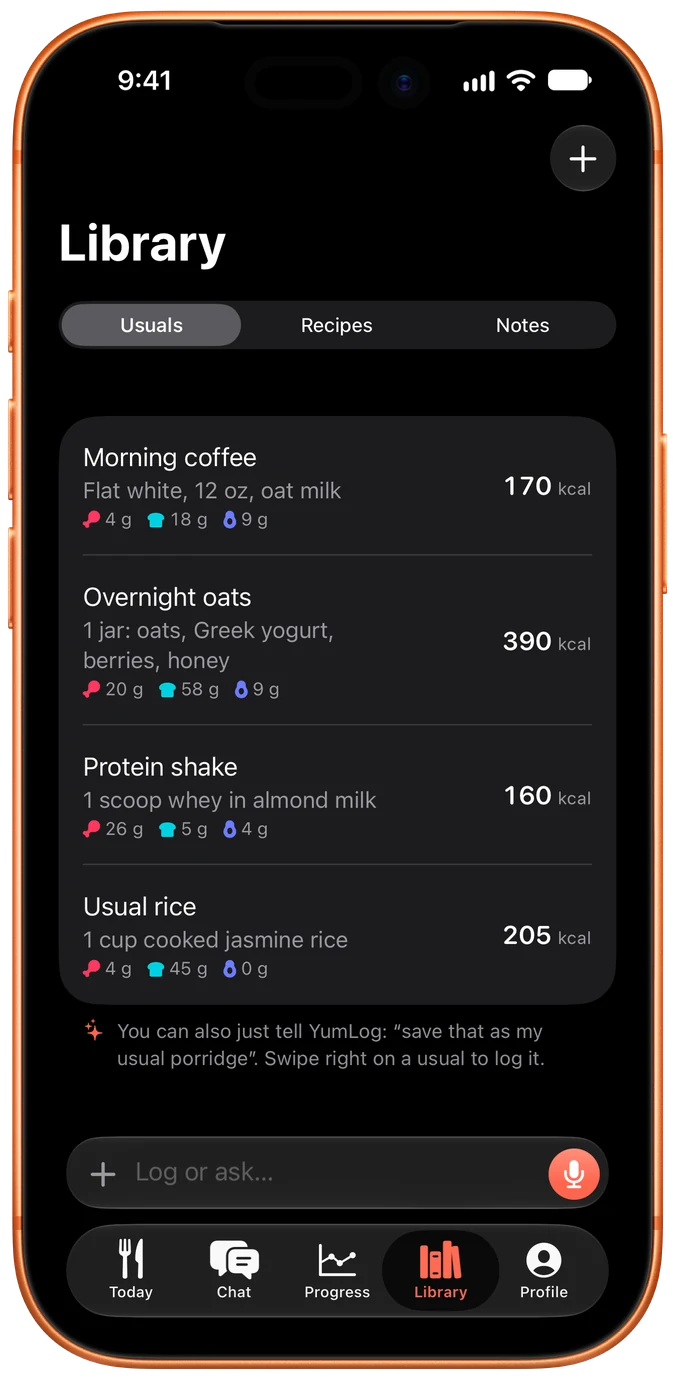
The Library
A dinner, a photo log and the Library on iPhone.
On the Home Screen, a widget keeps what’s left of the day in view, and a Log Food widget, coming in the next update, opens the log bar ready to type, take a photo or listen.
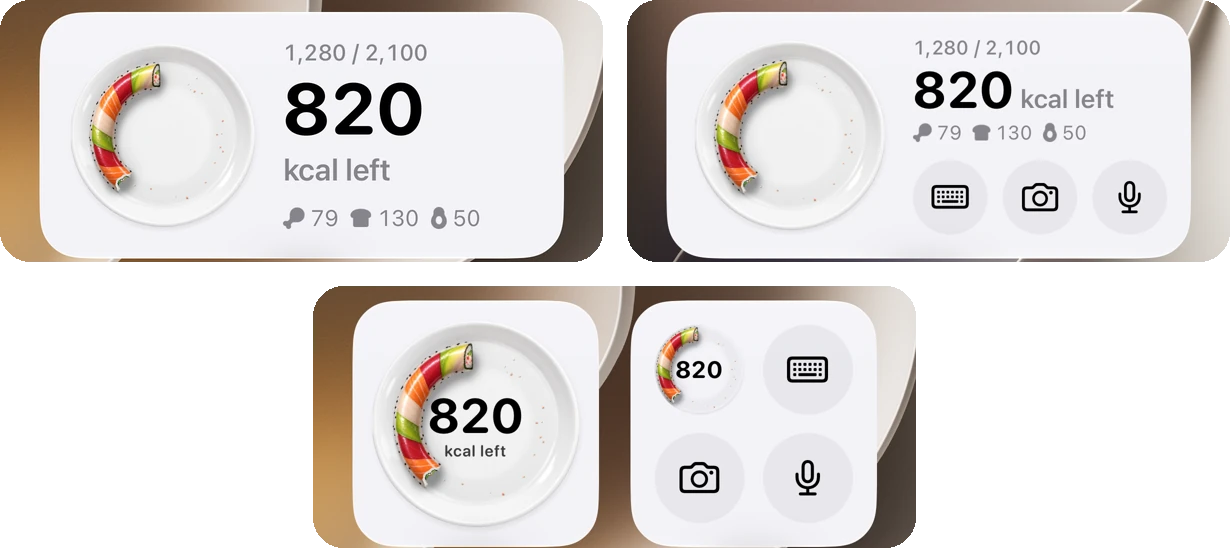
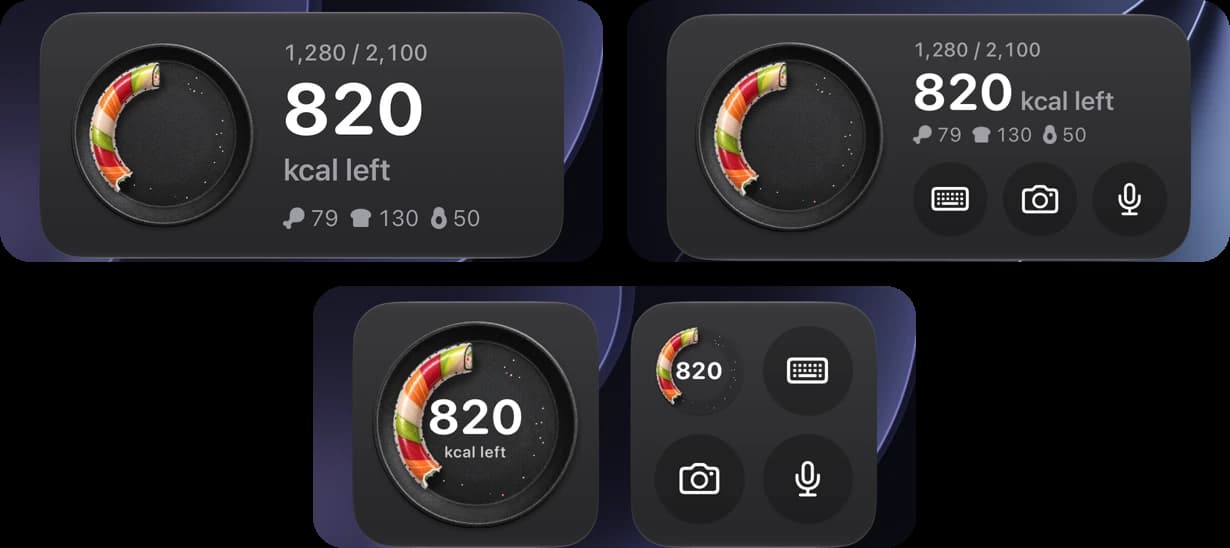
Fig. 02Calories Left and Log Food, medium and small.
Close enough is the point
I don’t know exactly how many calories are in my meals, and I didn’t want an app that pretends I do. My problem was never 2,600 calories against 2,800. It was the occasional 5,000-calorie day that got away from me. That’s how I’d suggest using YumLog too: as a rough, honest picture you keep up every day. Log fast, let it guess, and fix what matters.
The number can be rough. Getting what you ate, which entry you mean and whether you asked it to log anything matters more.
So the assistant logs straight away and says what it assumed, instead of quizzing you about portions. If it’s wrong, fix it in a sentence: “actually it was half a cup of rice”. And if you’re only wondering, ask. “How much is a Big Mac?” gets an answer and logs nothing until you say “do that”, which makes it handy before you order, not only after you eat.
Goals are optional. If a target helps, set one. If a number makes eating harder, leave it off and just keep the log.
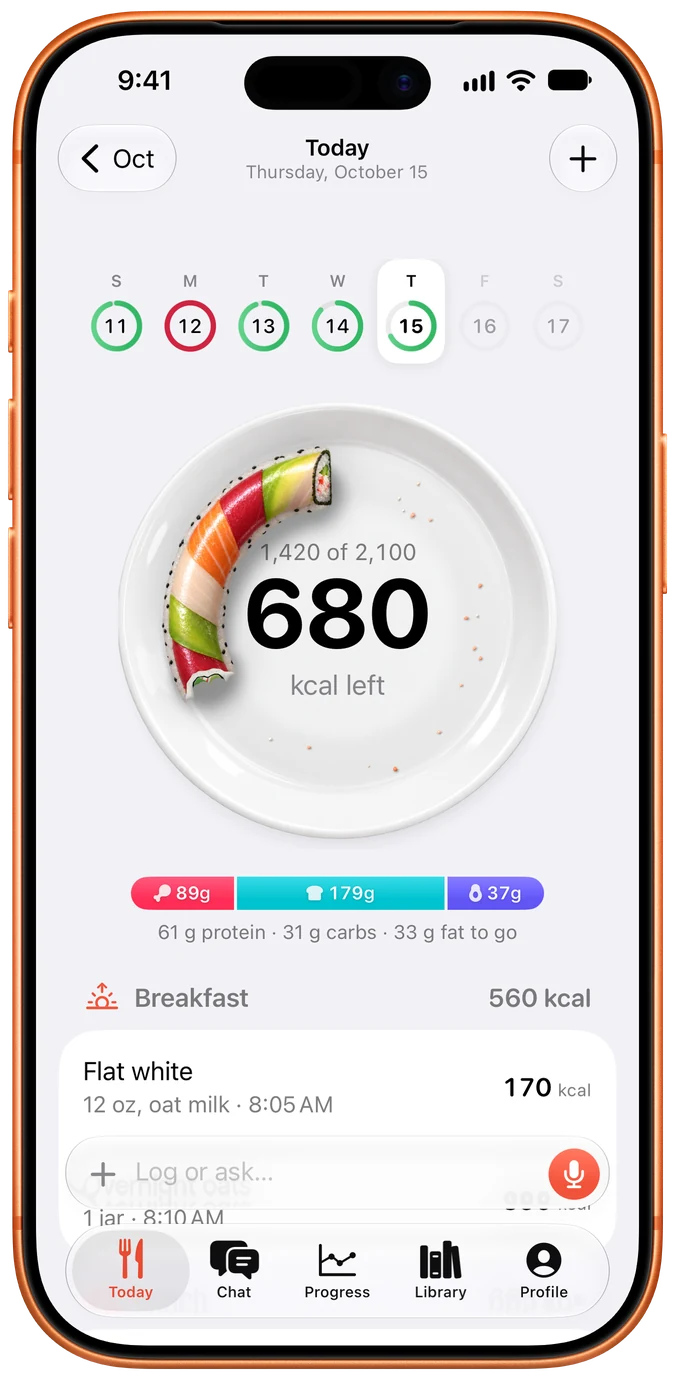
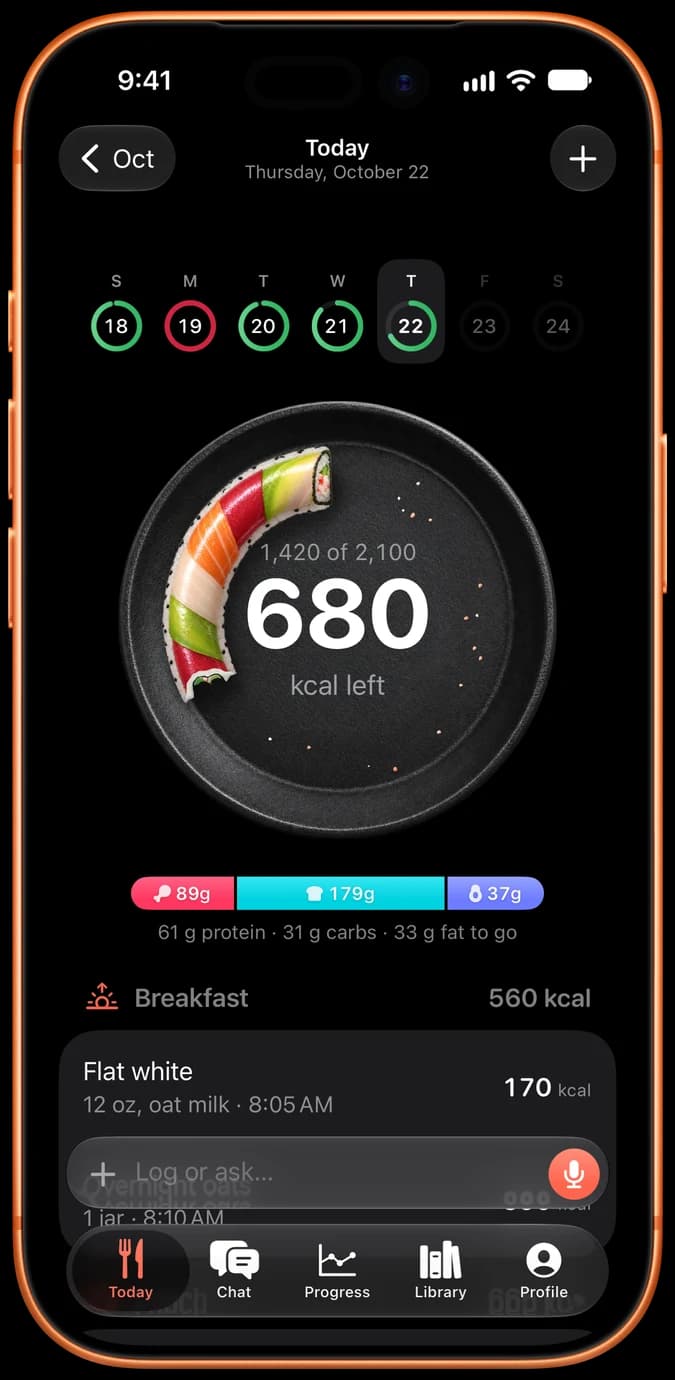
The day, on a plate
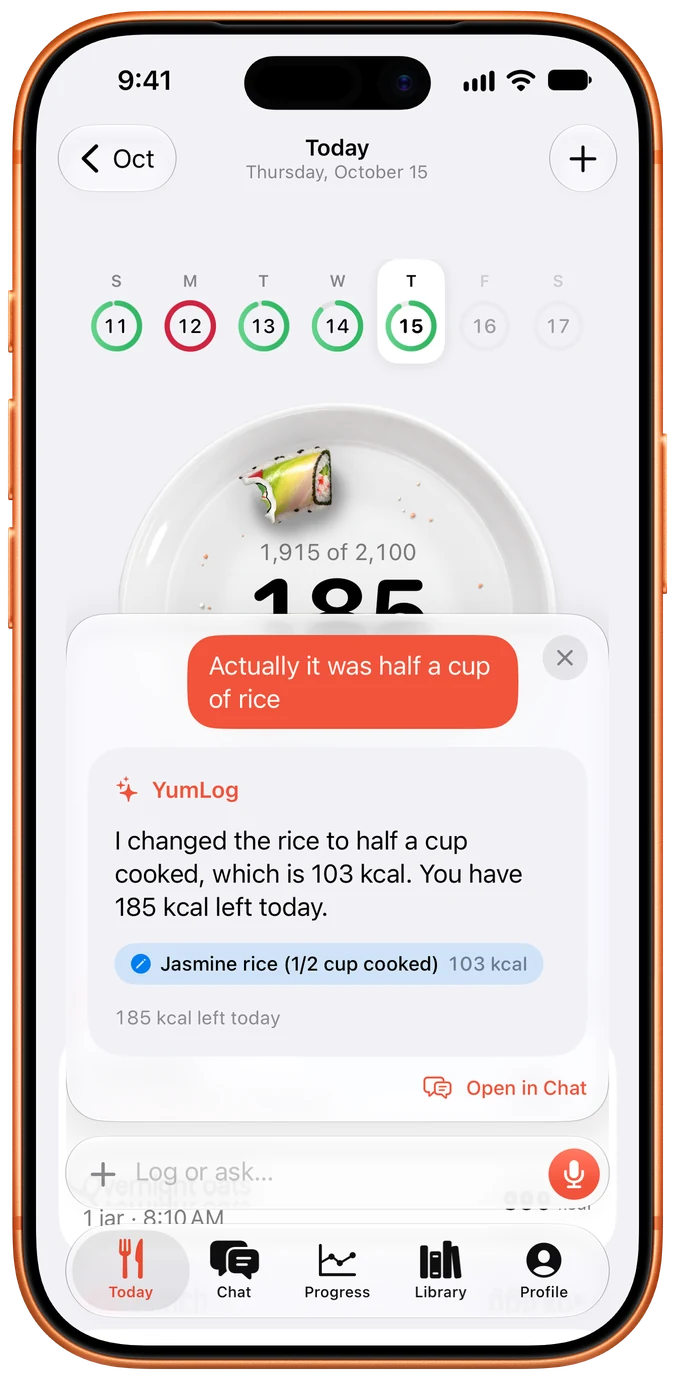
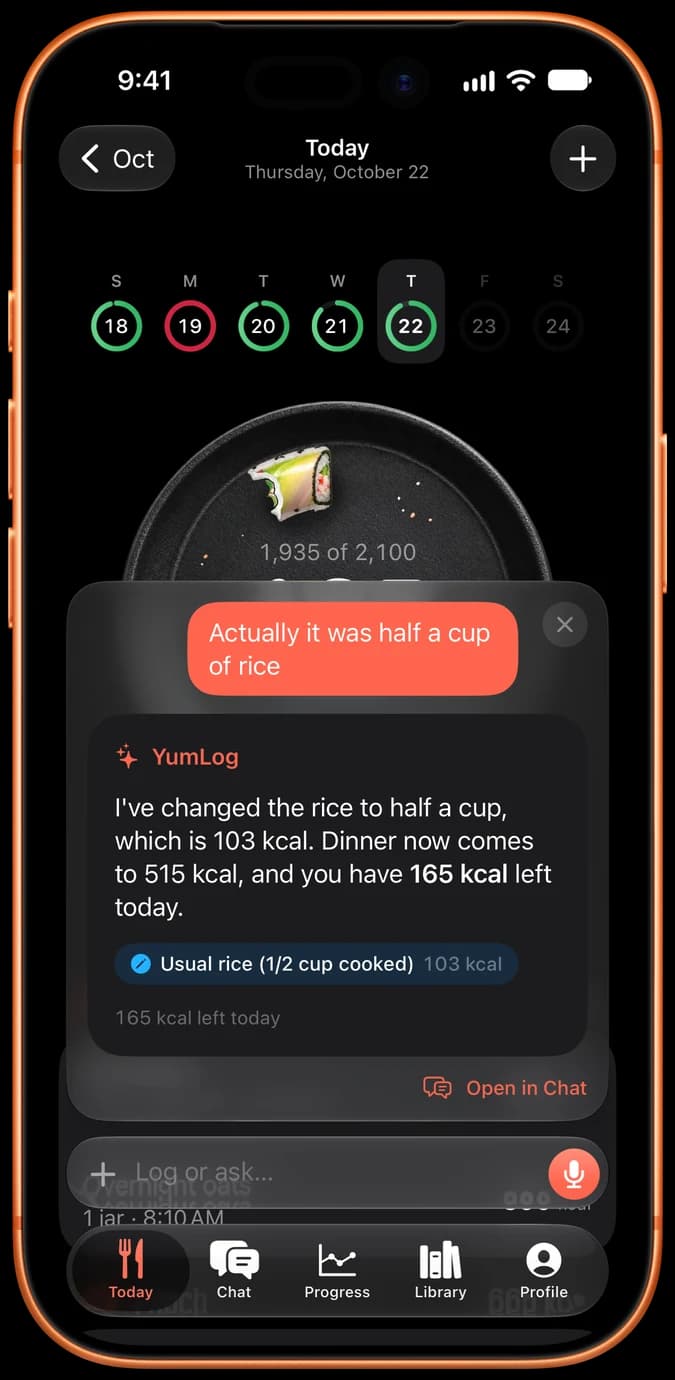
Corrected in a sentence
Today, and a correction in a sentence.
Every log takes a bite
A rough picture only helps if you keep logging, so I made the day fun to watch. What’s left of it is a ring of food on a plate that gets eaten as you log. Pick the one you’d enjoy watching disappear; there are ten, and the rainbow roll and the sausage are my favourites.
Fig. 03Each food is eaten as the numbers count down, then the next one rolls in.
Each ring is a strip painted by the image model, wrapped round the plate and eaten by a shader as the day fills up.
A cheaper model wasn’t enough
The assistant runs on Claude, and I picked which Claude with a test: 43 real requests from my own logging, scored on what each model actually logged. It’s one person’s food, so it says nothing about calorie accuracy, but the gap was clear.
- Claude Opus97%
- GPT-6.1-sol93%
- Claude Sonnet90%
- GPT-6-luna85%
- Claude Haiku84%
43 requests from my own logging.
Opus costs the most, so I tried to make Haiku good enough by giving it a nutrition database. It got worse. Haiku’s misses had never been about calories. They were about behaviour, like remembering usuals and applying corrections.
So at launch every message goes past Jev, a small decision model from TypeSafe, which answers one question: does this need a strong model? Light ones go to Haiku. Strong ones go to Sonnet, or to Opus when there’s a photo.
Jev said light, so Haiku replied. In the test, it was logged as intended.
Where the test’s messages went
- Haiku 34%
- Sonnet 59%
- Opus 7%
The bigger cost problem was one I hadn’t tested for: the phone’s conversation never ended, so the prompt cache kept expiring between messages. Starting the model’s context fresh after a pause cut the cost of a message by more than two thirds.
I’d love YumLog to be free, but the AI costs money on every message, so the AI is a subscription with a free week. Logging by hand is free forever.
It asks before anything goes to an AI
A food log says things about your health. YumLog uses Claude, and I can’t promise more about another company’s servers than they do, so it asks before it sends anything there. If you’d rather not, say no and keep logging by hand. Meal photos are deleted after 30 days, and deleting the account removes everything. The subscription pays for the app: there are no ads, and I don’t sell the data.
People log food on bad days too, so the assistant has rules for medical questions, emergencies, unsafe goals and disordered eating, with a test of their own. It handles 24 or 25 of the 26 cases as intended, depending on the run, and the misses were replies that ran long, not unsafe advice. A test isn’t a guarantee, and I don’t treat it as one.
One assistant across the watch and phone
YumLog is two SwiftUI apps and a Cloudflare Worker. The watch, the iPhone and Siri all talk to the same Worker, and the assistant lives there, so a log said on the wrist and a correction typed on the phone reach the same model with the same day in front of it. The log is in D1, Cloudflare’s SQLite, and photos go to R2.
Every request sends the same system prompt and tools, which stay cached, then the conversation and a fresh snapshot of the day: today’s log with each entry’s id, goals, usuals and recipes. Claude acts through tools to log, edit, delete and remember. The entry ids are why “actually it was half a cup of rice” finds the right entry.
On the watch, speech goes to the Worker as audio and comes back as text from Whisper, primed with your own usual names. Widgets and complications read a snapshot the apps write after every change, so they update without a network call. Apple Health sync replays the server’s changes, removing its own earlier copy of an entry before writing the new one.
Purchases are confirmed with Apple on the server, which decides what each account may do, and every assistant request records what it cost.
Food on a plate
I wanted logging to feel like fun, so YumLog is drawn as food on a plate. The icon is a glossy coral Y on a white plate. The plate on Today is that same plate with the Y painted out, and the day sits on it as a ring of food that gets eaten. On the watch, Log Food is a coral mic on a plate too.
Fig. 04The Y, the wordmark and the mic, on porcelain and on cast iron.
None of it was drawn by hand; the art comes from an image model. Every prompt shares the same light, a softbox above and to the left, so pieces made a week apart look like one photo shoot. I picked from what it made, and threw most of it away.
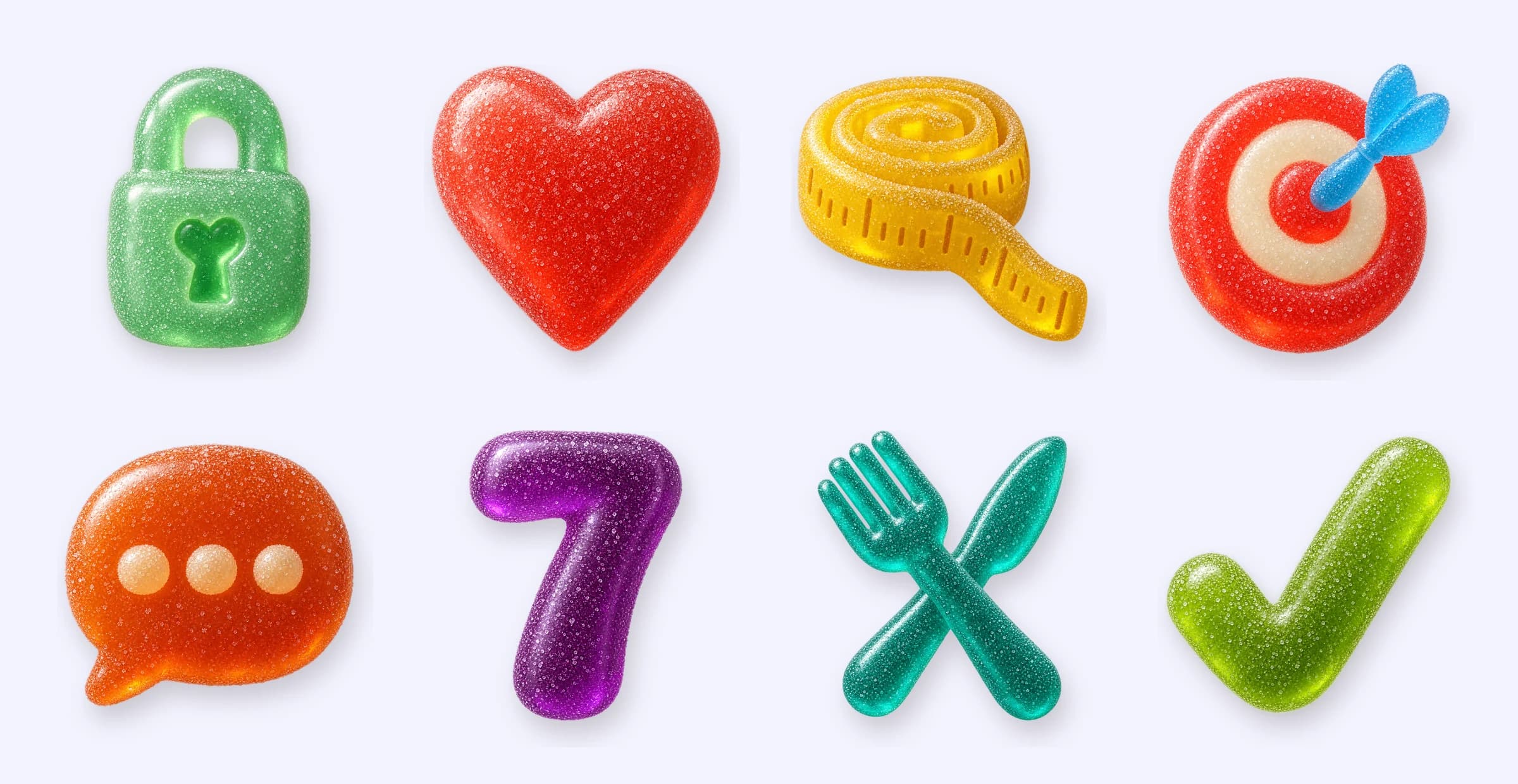
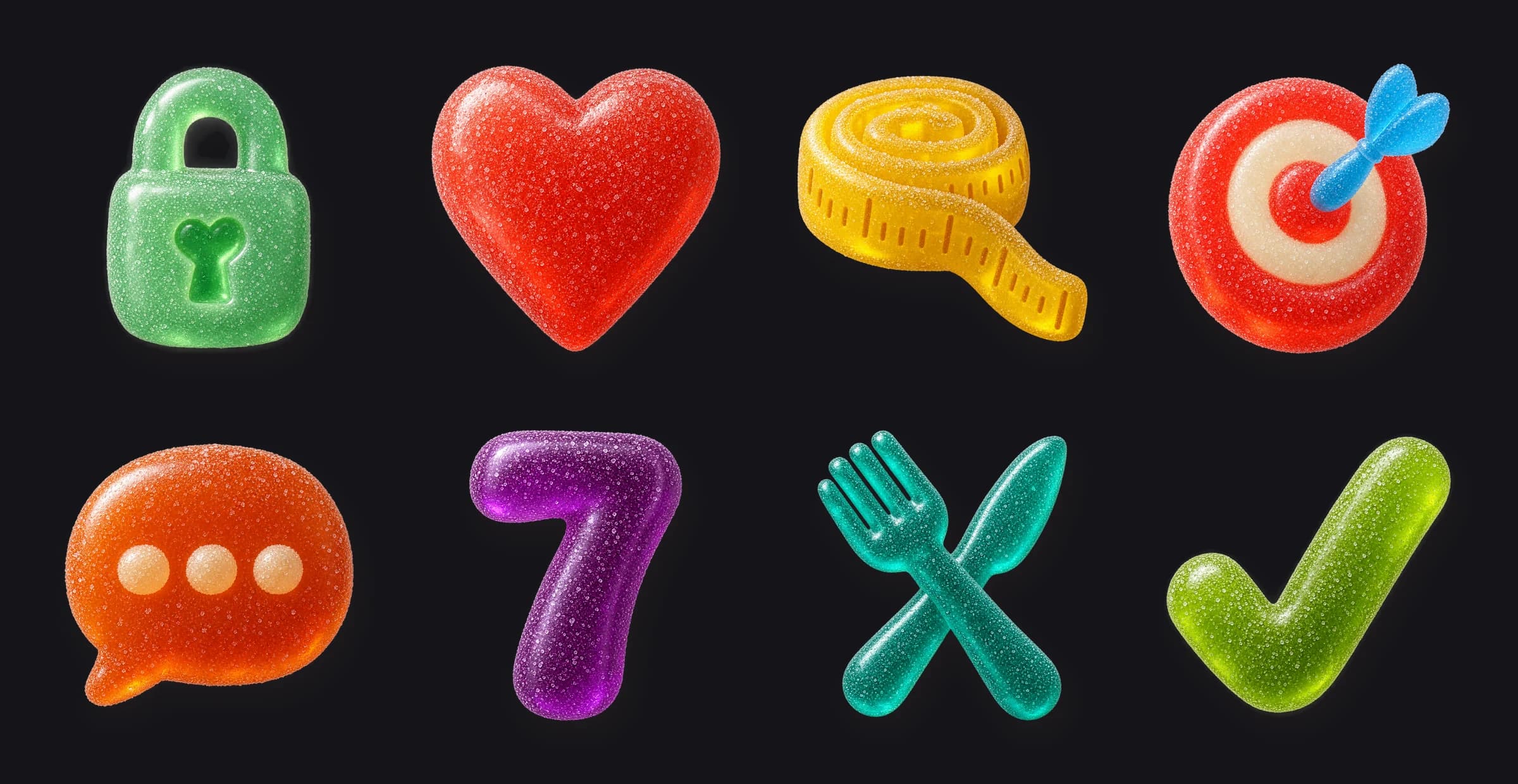
Fig. 05A gummy for each onboarding step, in the order you meet them.
The website opens with what you’d say
yumlog.dev works the way the app does. It opens on the icon’s coral with the watch, the phone and three things you might say. Every section after that starts with something you can say, “Two eggs and toast with butter”, “Can I fit a burger and fries in?”, “JD”, and shows what happens next.
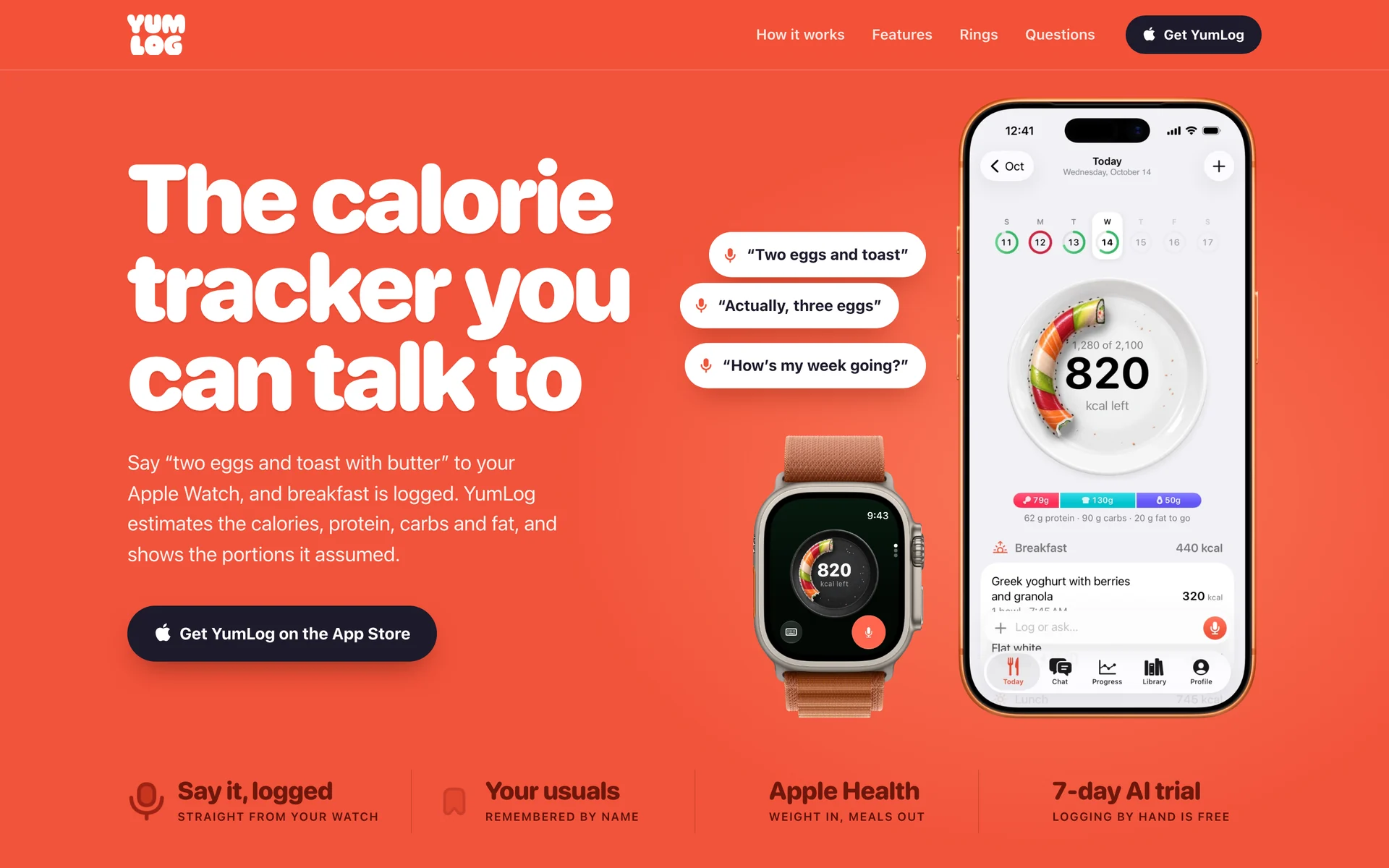
Fig. 06The top of yumlog.dev.
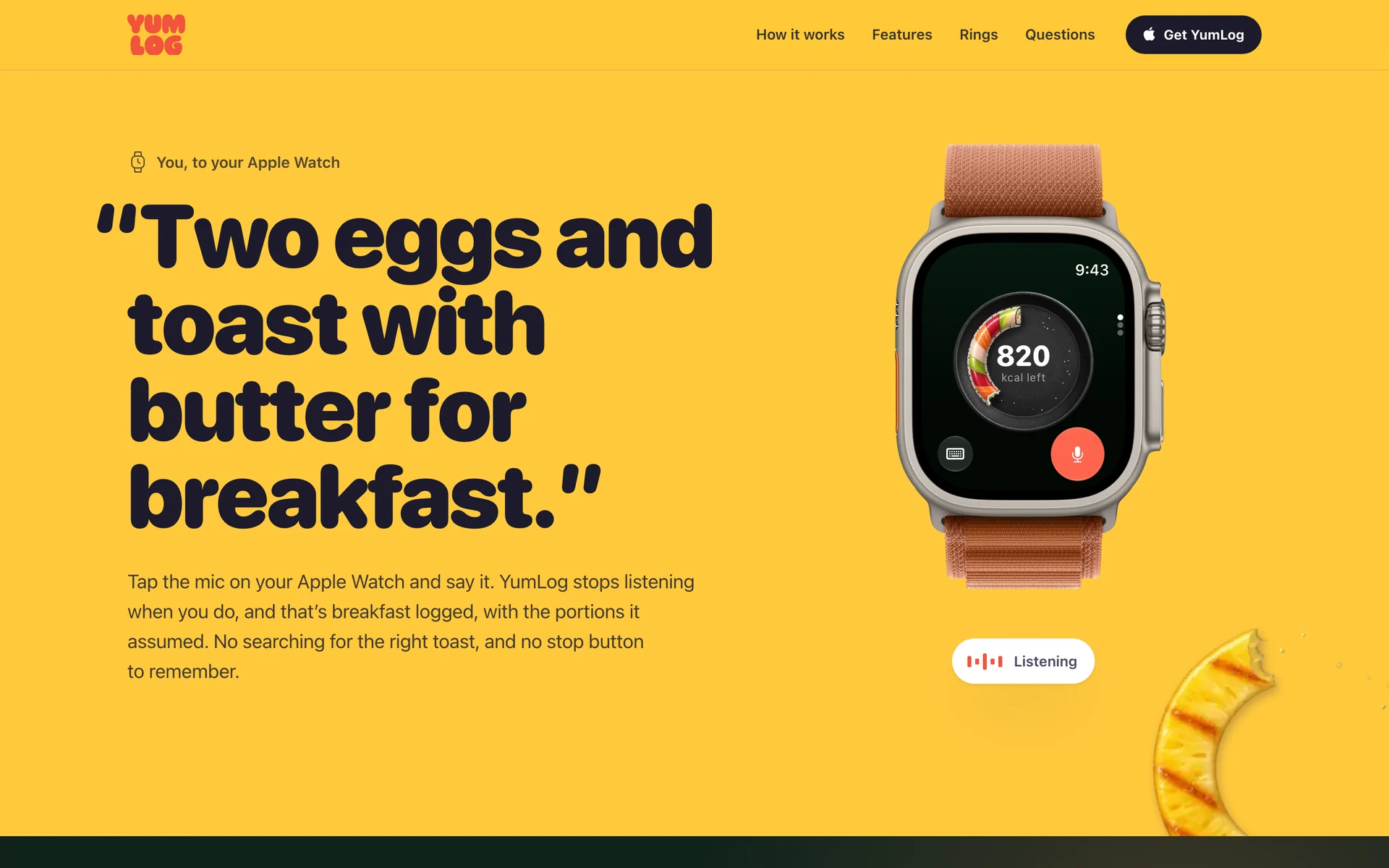
You, to your Apple Watch
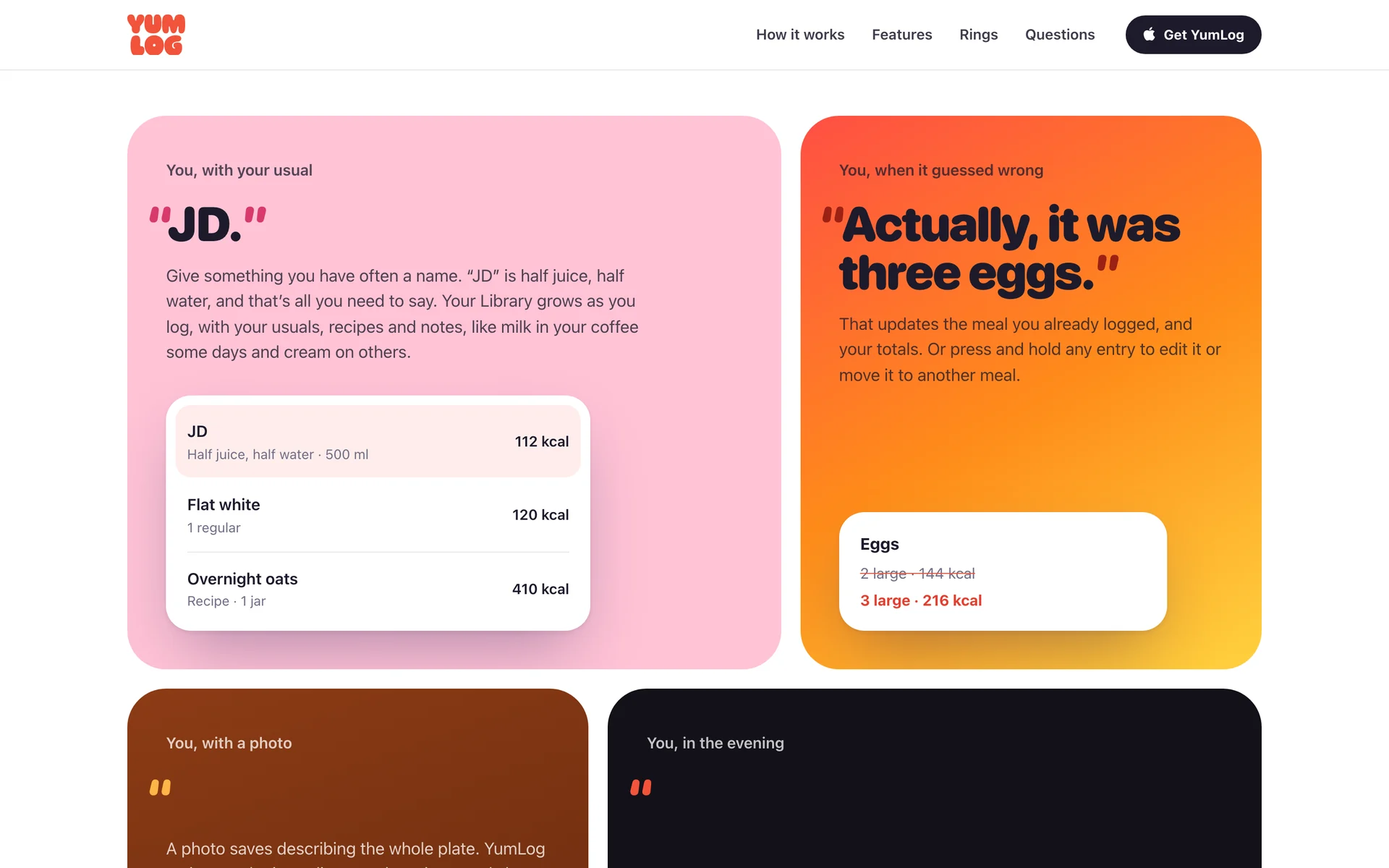
You, with your usual
Each section starts with something you’d say to the app.
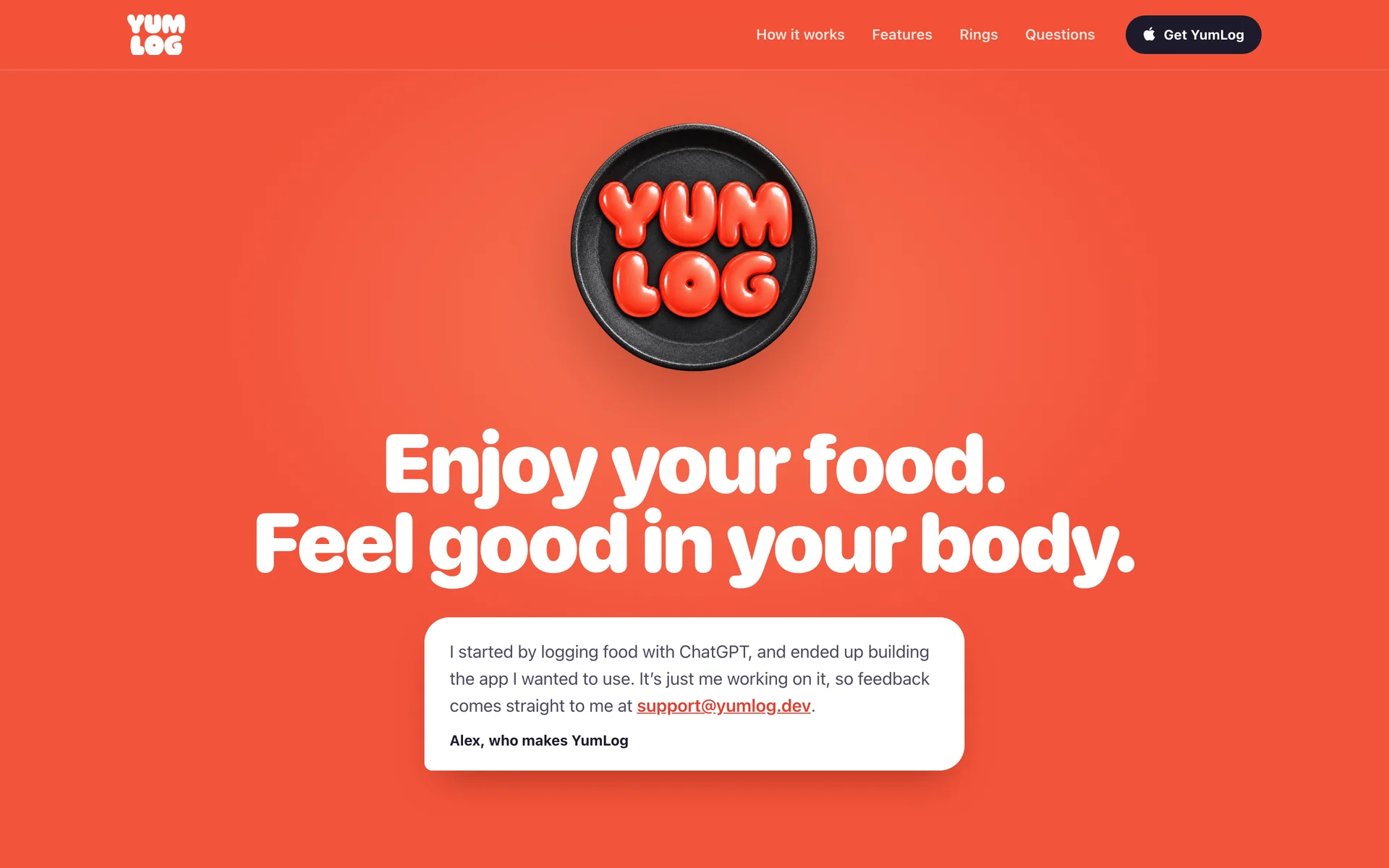
Fig. 07It ends with a note from me.
The App Store pitch
The App Store page opens with a preview of the app in use, then nine screenshots in the same voice as the website: things you can say to the app and what it does for you.
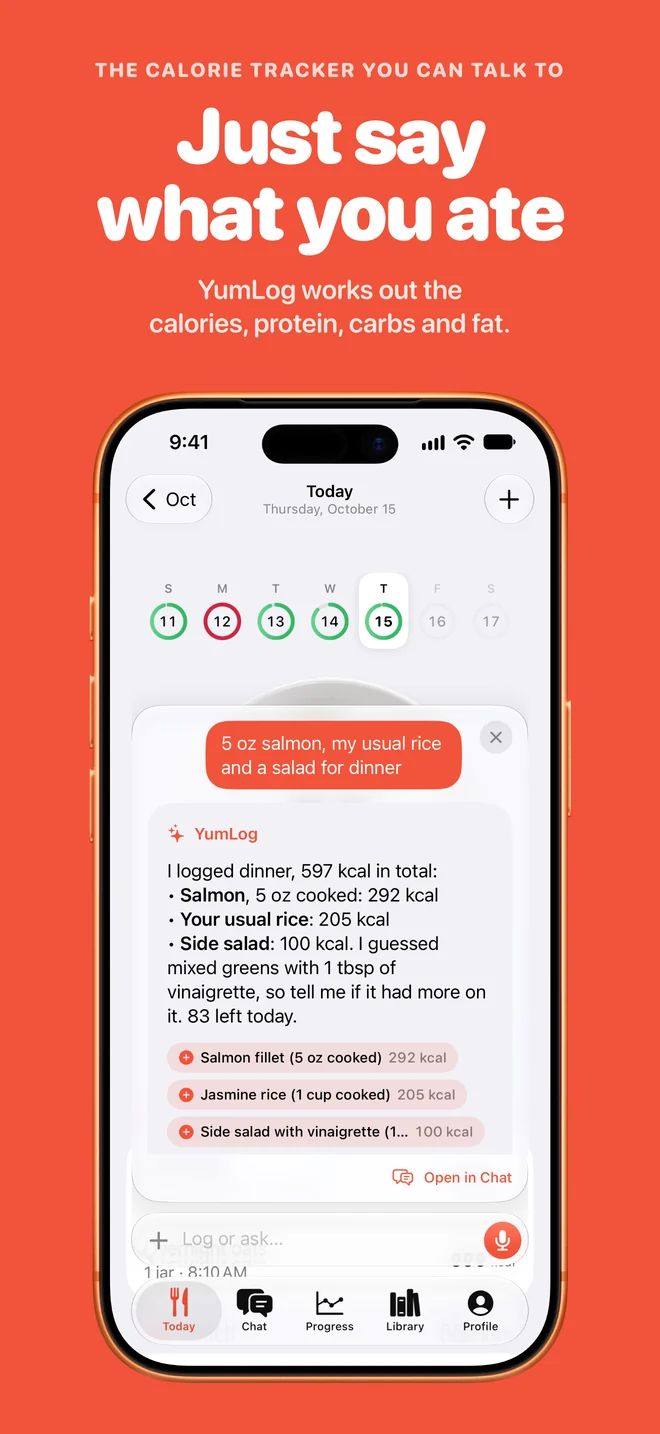
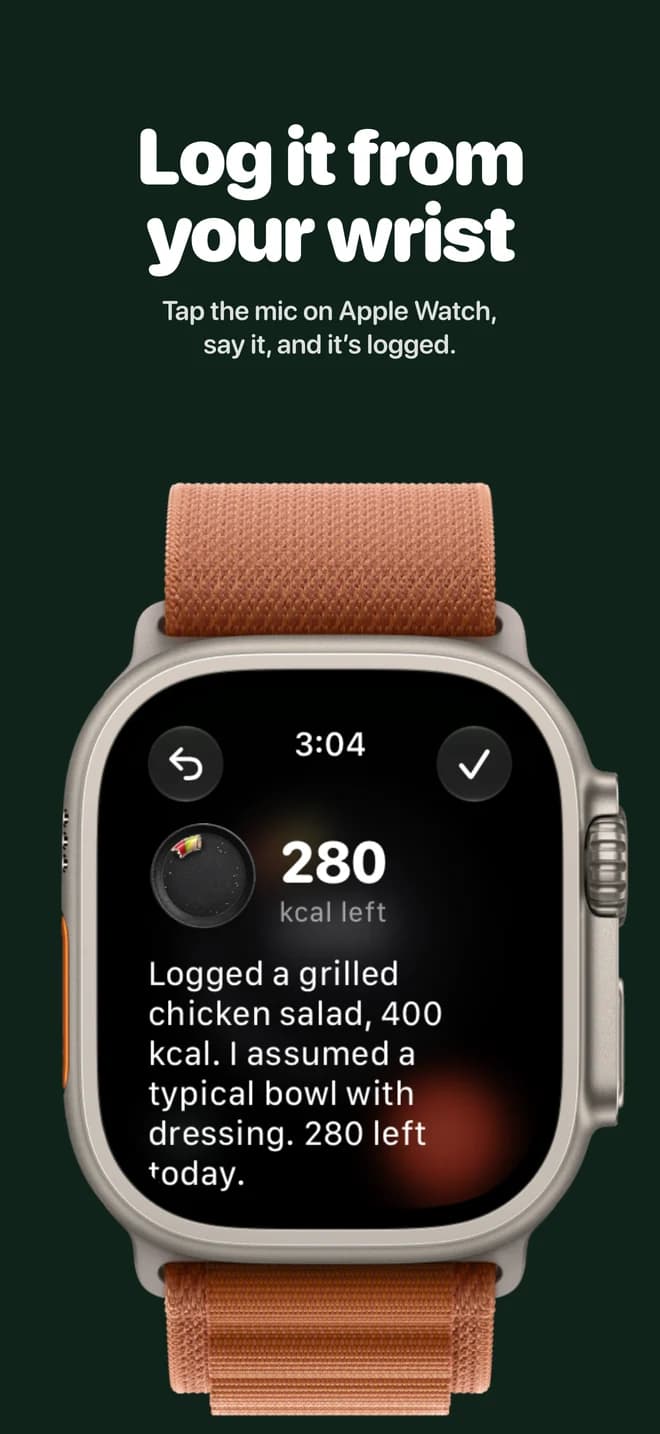
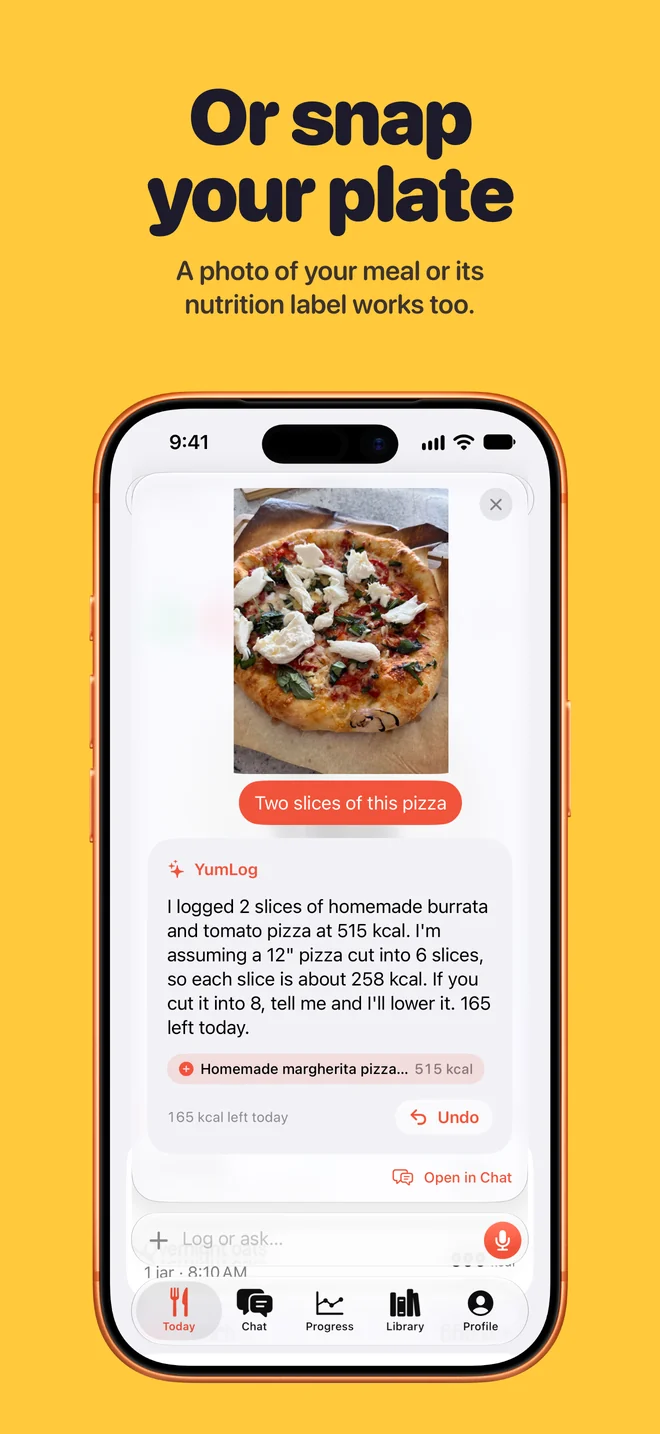
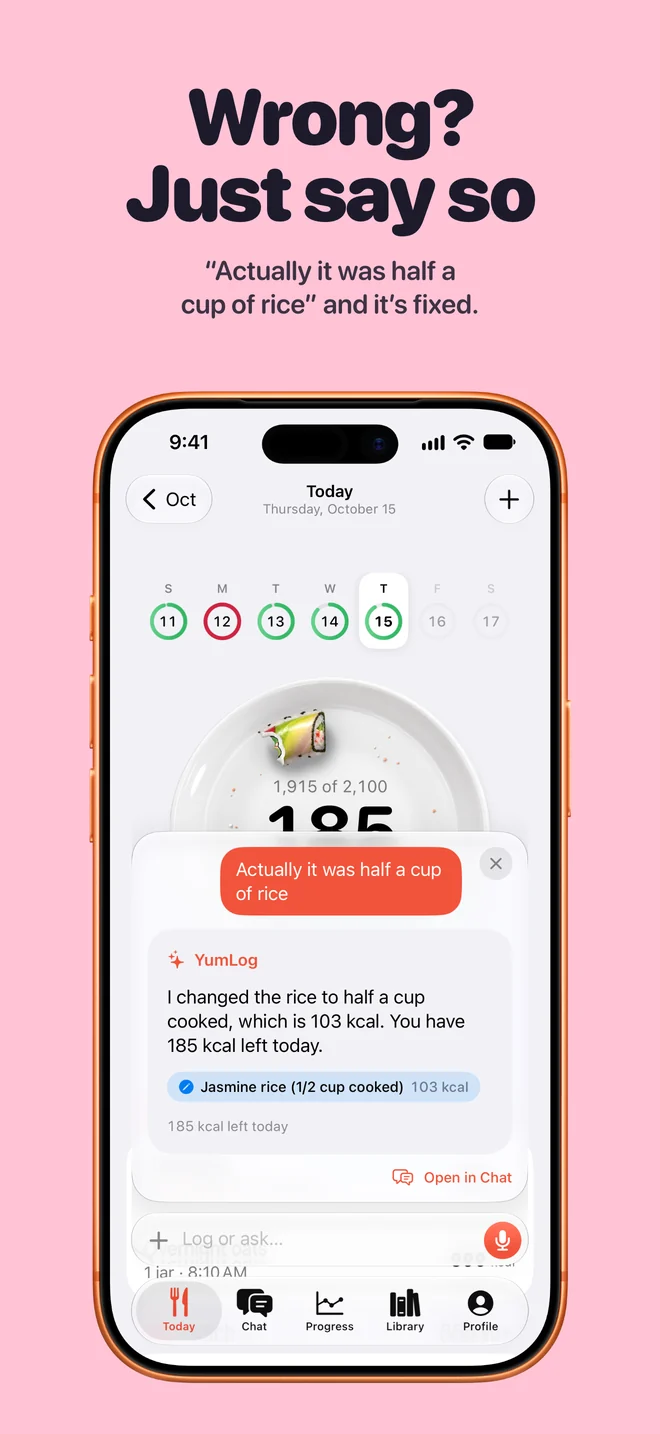
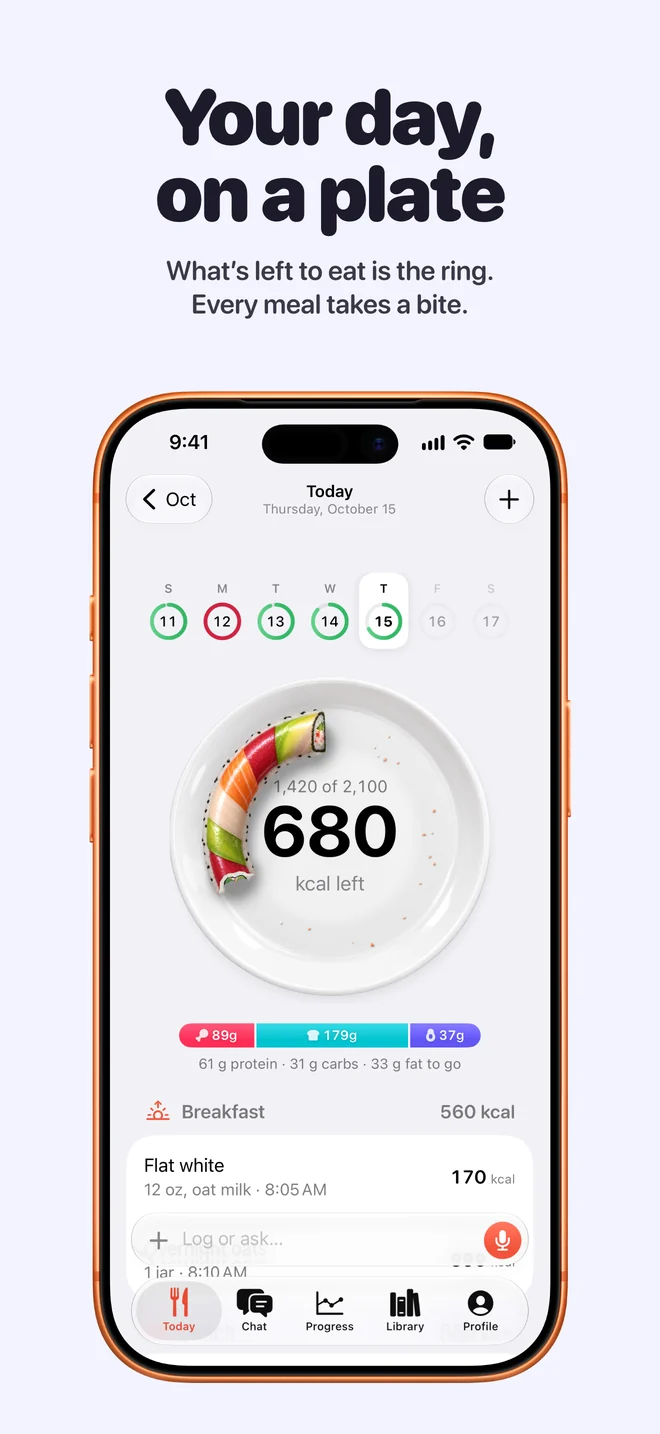
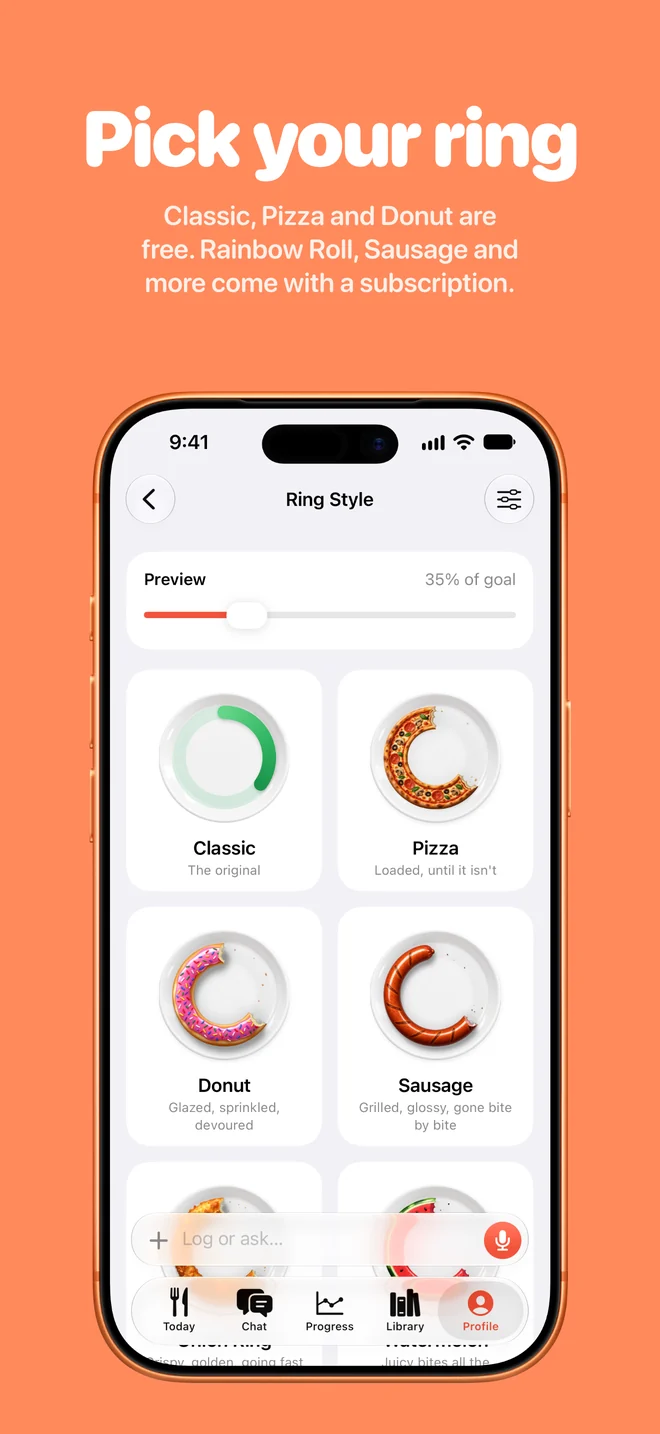
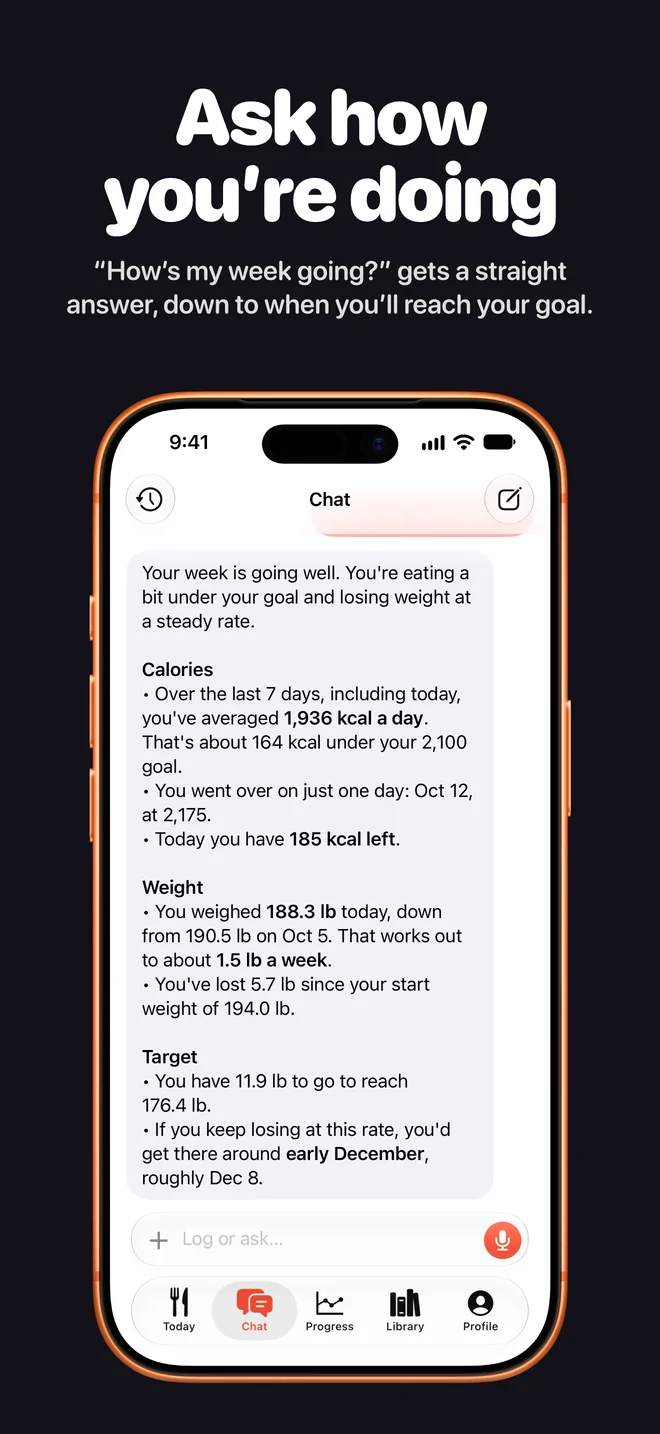
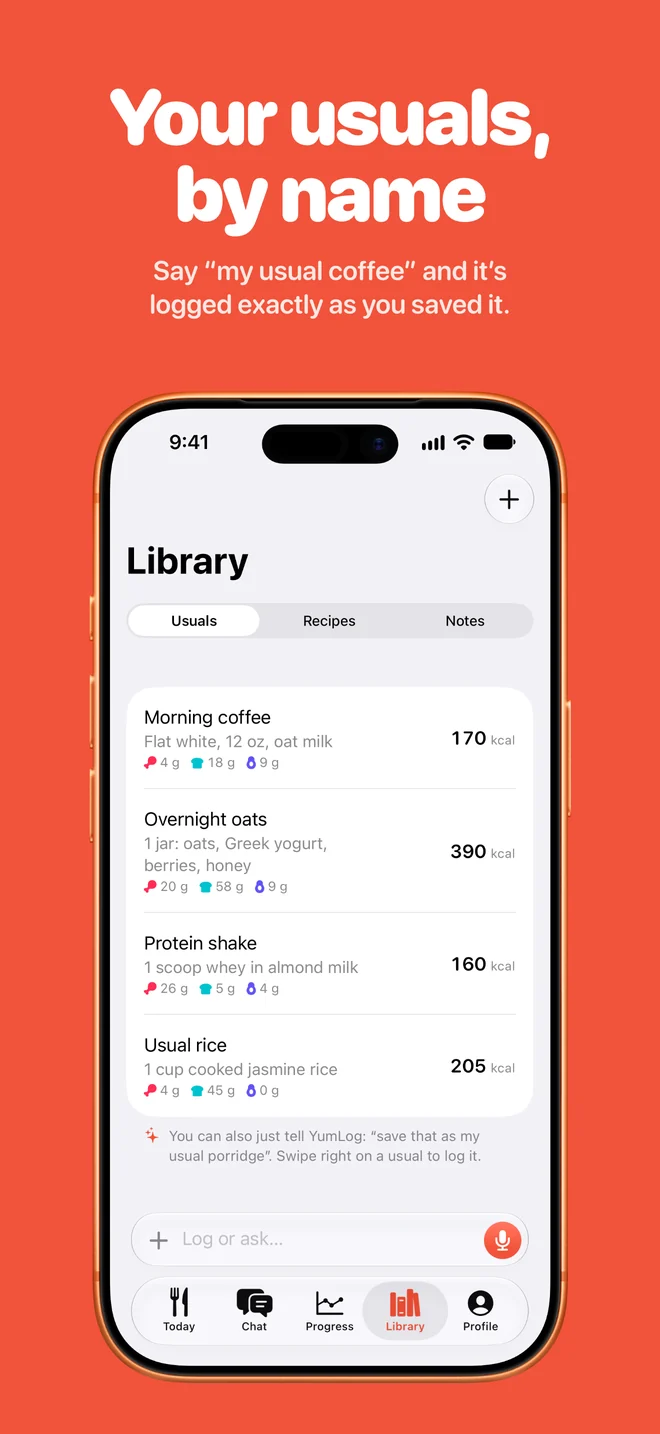
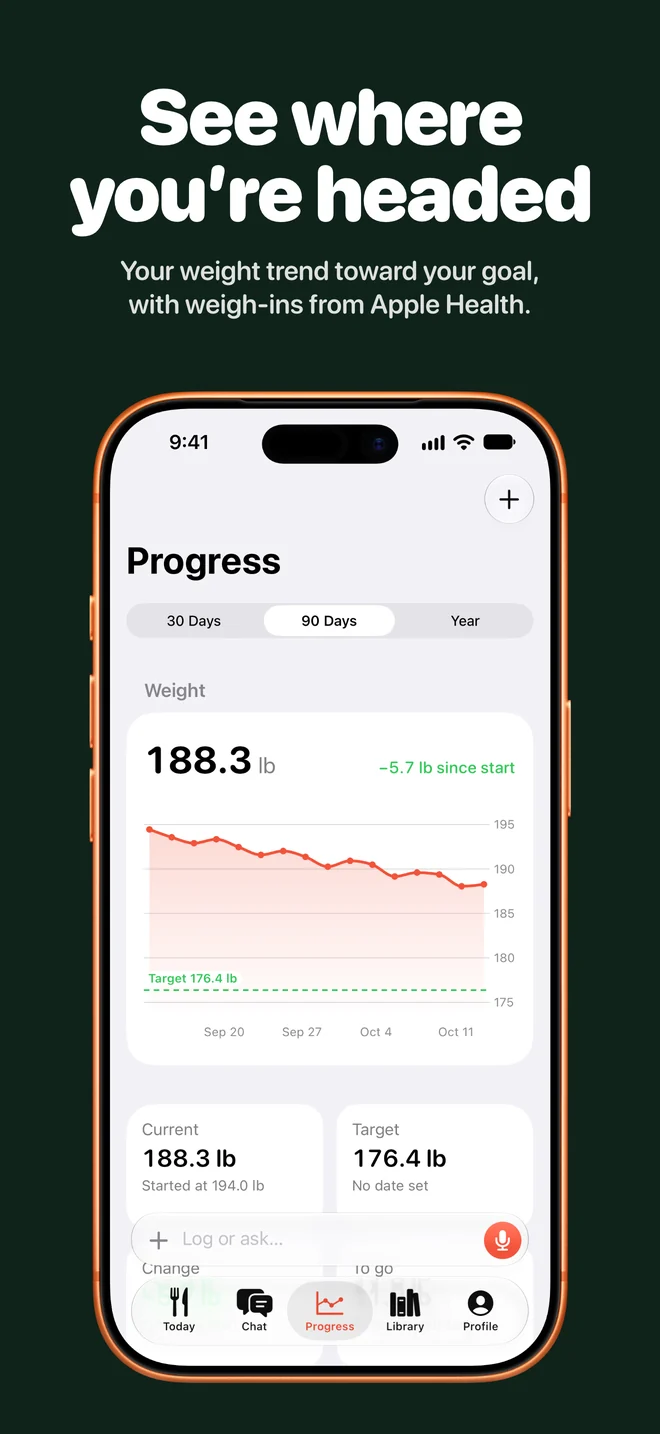
The preview and the nine iPhone screenshots, in the order the store shows them.
The header and search videos for the store reuse the launch video’s footage.
Fig. 08The header video.
Fig. 09The search video.
Next, the watch talks back
Next: a watch that answers out loud. ElevenLabs’ realtime model can’t run on Claude, so Claude stays the brain and ElevenLabs’ Speech Engine only does speech. The watch streams 16 kHz audio over a WebSocket; Speech Engine transcribes it, detects the end of the turn, hands the text to YumLog’s Worker and speaks Claude’s reply.
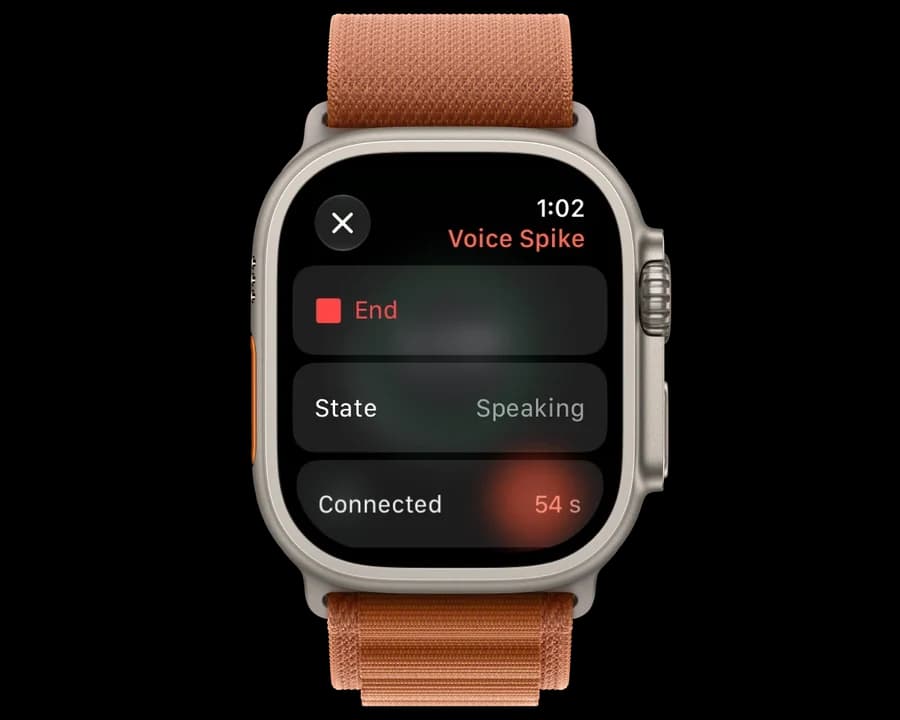
Fig. 10The spike in the watch simulator, which holds the connection longer than a real watch.
Speech starts three to five seconds after you stop talking, against seven or more for today’s text reply. Claude is most of that; Speech Engine adds under a second. Spoken turns join the same conversation as the watch and Siri.
The watch is the hard part. ElevenLabs’ Swift SDK doesn’t build for watchOS, so the spike speaks the WebSocket protocol directly, and watchOS cuts the socket after about 30 seconds: enough for a meal, not a chat. The Ultra’s microphone arrives as three channels that downmixed to silence until the spike took the first one directly. And the Worker remembers each turn, so a retried one can’t log a meal twice.
It isn’t shipped. Typed turns work end to end on a real Ultra; spoken ones are still being tested.
I built and shipped the app I wanted. Whether other people keep using it is what I’ll learn next.
What shipped
YumLog on the App Store in 174 countries: logging by hand is free, the AI is a subscription.
An Apple Watch app you log to by voice, with complications.
An iPhone app with the day on a plate, chat, photos, the Library, progress, widgets and Apple Health.