A voice-first AI assistant for teachers — lesson plans, parent notes, quizzes
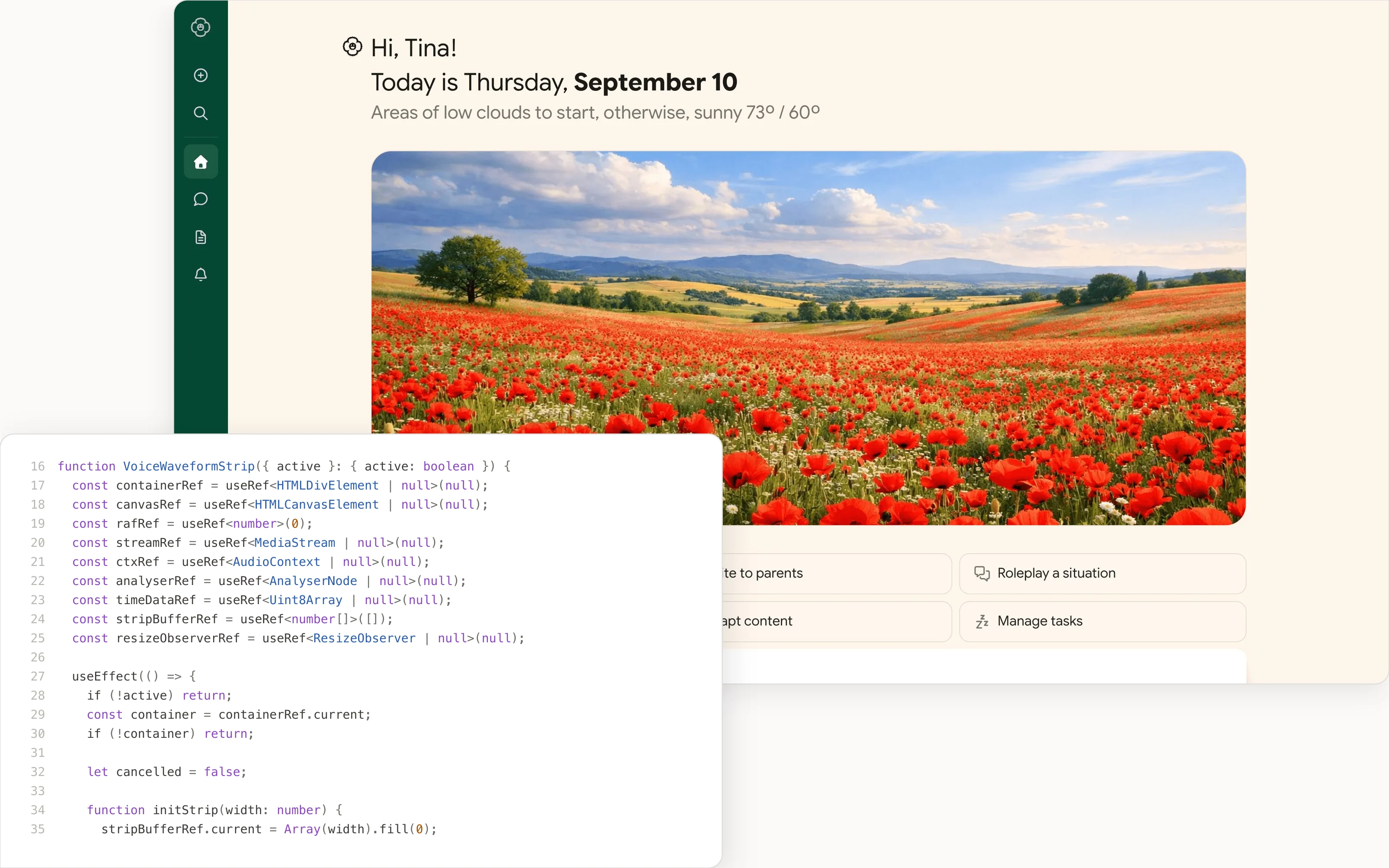
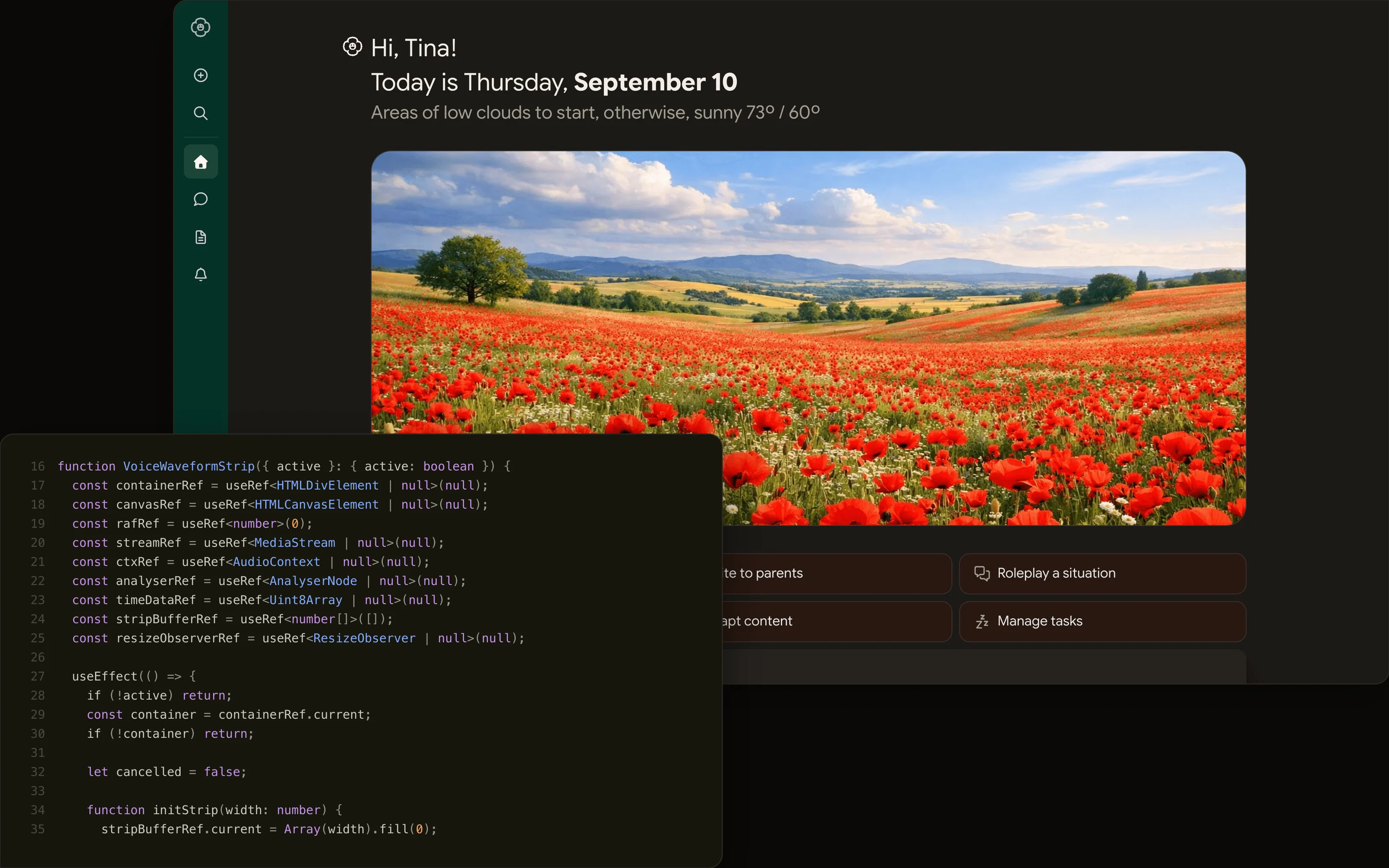
Poppy is a chat assistant built specifically for teachers. It opens to a personalized home — a greeting, the day's weather and schedule — and a row of one-tap actions for the work teachers actually do: plan a lesson, write to parents, build a quiz, adapt content to a reading level. Conversations persist in a clean two-panel layout and title themselves automatically.
The point was to make an assistant that fits a teacher's hands rather than a generic chat box. The build leans on voice — real-time dictation with a live waveform — so you can talk a lesson plan into existence in the minute between classes, and on task-shaped shortcuts that skip the blank-page problem entirely.
Role
Solo build — designed and vibe-coded end to end with AI pair-programming. Next.js 16 + React 19 front end, GPT-4o-mini, a Storybook-documented component library, Playwright and Chromatic for tests.
Walkthrough
A closer look, screen by screen.
01 / 04
A home, not a blank box
The first screen greets the teacher by name, surfaces the day's context, and offers direct actions — plan a lesson, write to parents, create a quiz, adapt content. It removes the hardest part of any assistant: knowing what to ask for.
02 / 04
Talk, don't type
Dictation runs on the Web Speech API with a live waveform drawn on canvas, so speaking feels acknowledged in real time. It's designed for the realistic moment of use — hands busy, a few minutes between classes.
03 / 04
Conversations that keep themselves tidy
Responses stream in, threads persist to localStorage and name themselves from the first message, and the sidebar adapts to where you are — so coming back to last week's parent email takes one glance, not a search.
04 / 04
A documented kit underneath
Every piece — avatar, action grid, nav, logo — lives in Storybook with accessibility checks, so the interface stayed coherent and inspectable as the feature set grew.
What shipped
Personalized home with greeting, weather and schedule, and quick-action shortcuts for common teaching tasks.
Voice input via the Web Speech API with a live canvas waveform, so dictation feels responsive rather than fire-and-forget.
Streaming GPT-4o-mini responses with conversation history persisted in localStorage and auto-generated titles.
Responsive two-panel layout — navigation plus chat history — that collapses based on route.
Accessible components documented in Storybook with an a11y addon.
Selected decisions
- 01
Led with voice and task shortcuts instead of an empty prompt, so the home screen shows a teacher what it can do before they type a word.
- 02
Auto-titled threads from the first message so the history stays scannable without manual naming.
- 03
Built the UI as a documented component library (Logo, Avatar, ActionGrid, NavItems) in Storybook, making the design system the source of truth.