Seam carving in the browser
CSS has five answers for a picture that doesn't fit its box: stretch it, crop it, letterbox it, leave it alone, or shrink it until it fits. That's the whole of object-fit, and none of it can tell the sky from the lighthouse. Seam carving can. It finds a path of pixels from top to bottom, one per row, through the least detail in the picture, removes it, and repeats. The picture gets narrower and the empty part goes first.
CSS can't do that, so the question is where it runs instead. There are three places, and they trade work done before the page ships against work done while it's open. Each is running below on the same picture. Drag the edge of the frame.
Carve the files before the page ships
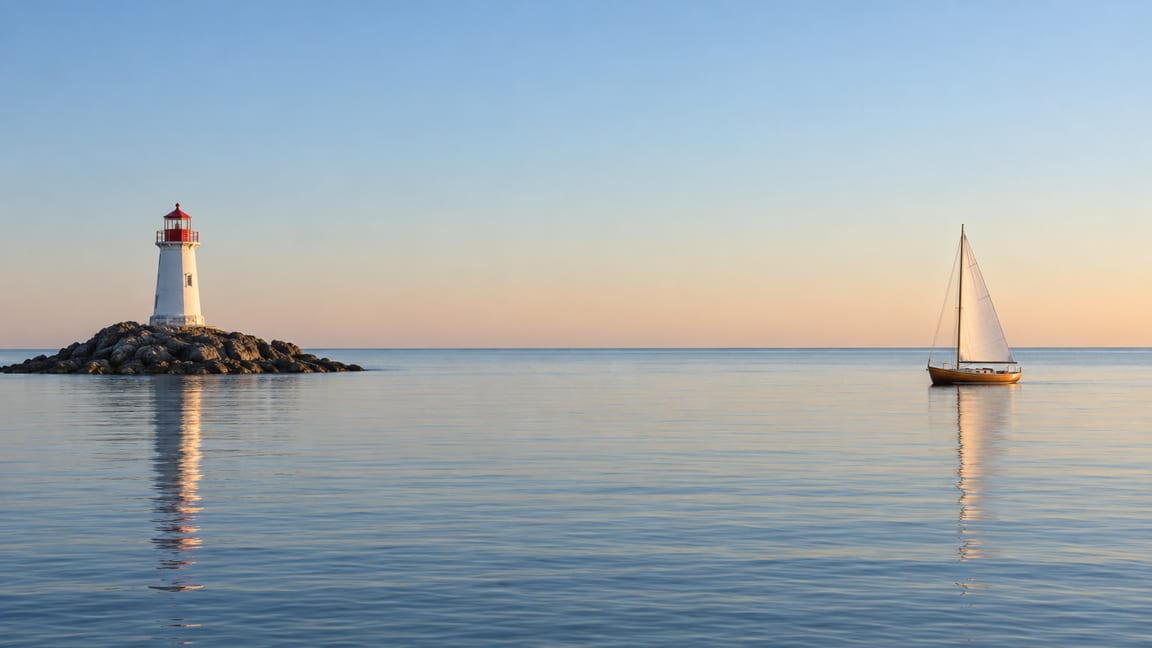
caire, Endre Simo's open-source seam carver, cut this scene into three narrower shapes ahead of time. The frame is a CSS size container, and four container queries show the file closest to its shape. No script picks the file; the script on this page only moves the edge.
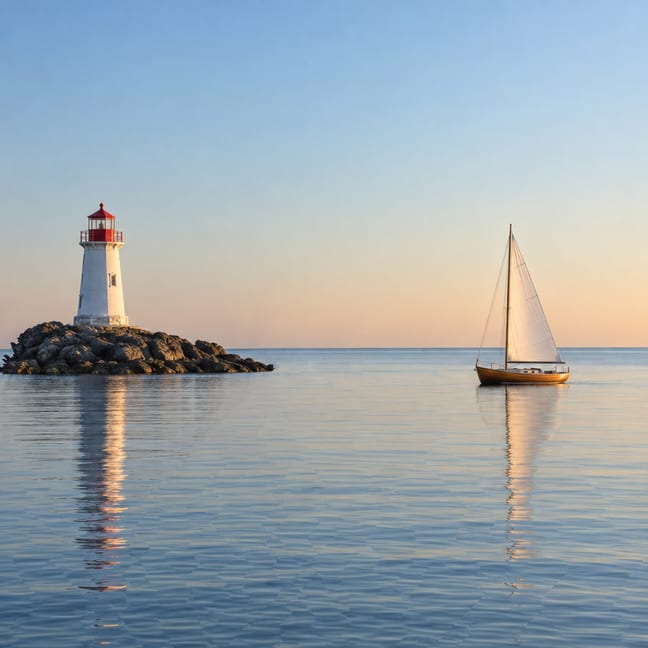
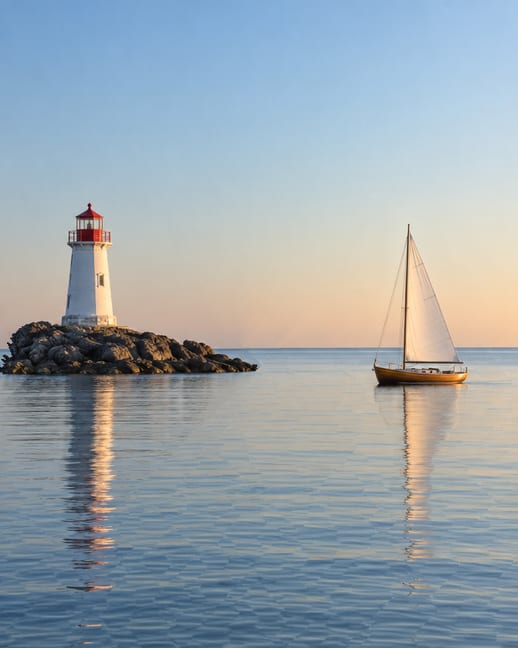
| File | Size | Shown when the frame is | caire took |
|---|---|---|---|
| wide.jpg, the original | 1152 × 648, 48 KB | wider than 1.55 : 1 | — |
| 4-3.jpg | 864 × 648, 40 KB | 1.165 to 1.55 : 1 | 16 s |
| square.jpg | 648 × 648, 34 KB | 0.9 to 1.165 : 1 | 25 s |
| portrait.jpg | 518 × 648, 30 KB | narrower than 0.9 : 1 | 30 s |
This is the cheapest option by a distance. The page decides nothing at runtime and ships ordinary JPEGs. Even the 4:5 file, with 55% of the width gone, keeps the lighthouse and the boat whole, because the seams came out of the sea and the sky. The cost is that the picture only has the shapes you carved, and object-fit: cover trims whatever falls between them.
When the box follows the viewport rather than the layout, <picture> does the same job and downloads only one file:
<picture>
  <source media="(max-aspect-ratio: 9/10)" srcset="portrait.jpg">
  <source media="(max-aspect-ratio: 233/200)" srcset="square.jpg">
  <source media="(max-aspect-ratio: 31/20)" srcset="4-3.jpg">
  <img src="wide.jpg" alt="…">
</picture>
Carve once, keep the order
A carve removes its seams in a fixed order. Record the step at which each pixel went, and any narrower width is the pixels removed after that step, left in place. Every seam takes exactly one pixel from every row, so every row comes out the same length and there is nothing to recompute. Avidan and Shamir described this in the 2007 paper that introduced seam carving.
Here 700 seams are stored as a starting column plus two bits a row, 115 KB in all, and a redraw is one pass over the picture. That takes a few milliseconds, so the picture keeps up with the drag. Squashed and Cropped show what object-fit: fill and object-fit: cover do with the same frame.
The price is the extra file and a script, and the picture becomes a canvas instead of an <img>. On most pages that trade isn't worth it. It is for a hero that has to hold its subject at every width.
Carve in the page
The same carver runs in a Web Worker, so the page stays responsive while it works. It finds the cheapest seam, removes it and repeats; the marked line is the seam it's about to remove.
On this picture a seam takes about 4 ms, so a square takes two seconds. That's fine for a tool that handles one upload, and far too slow to redo every time a layout changes. When it finishes, the result can go to the resizer above, which then works on that picture. An image you choose stays in your browser, scaled to fit 1152 × 864 first.
The carver is about 150 lines with no libraries. It uses forward energy (Rubinstein, Shamir and Avidan, 2008), which scores a seam by the new edges its removal would create rather than the edges already there, so lines crossing the removed area stay straighter.
Where this stops
- It needs empty space. The first picture I tried was the cover of How I work: a circuit board, a screen and a hand, drawn edge to edge in pencil hatching. With nothing quiet left to take, caire's 4:5 version bent the screen and broke the hand. Sky, water, sand and plain walls carve well. A busy illustration doesn't.
- It doesn't know what anything is. The energy is edges, not meaning. caire can protect the faces it detects or a region you paint, and that's the fix when the subject matters more than the frame.
- Lines that cross a seam bend. The horizon here survives because it runs the same way as the cut. A road running across the picture would kink.
- These demos only change width. Height is the same algorithm turned sideways.
- Removing space changes the picture. For a photograph whose subject is the emptiness, crop it instead.
The scene was generated for this page; carve times are from one Mac on the date above. caire is MIT-licensed. Papers: Avidan and Shamir, Seam Carving for Content-Aware Image Resizing, SIGGRAPH 2007; Rubinstein, Shamir and Avidan, Improved Seam Carving for Video Retargeting, SIGGRAPH 2008.